This blog entry is a continuation of my Samsung Galaxy S21 Ultra smartphone camera reviews, please do read my first impression (click) and camera review (click) if you have not done so. 

When I was shooting for sample images for my previous Samsung S21 Ultra camera review, I had to do most of my shots indoor because of the on-going lockdown/movement restrictions imposed by the government due to the Covid-19 pandemic. The restrictions have since been eased and we are now allowed to go out and walk freely on the streets, with tight social distancing practice in place. I thought that would be a fantastic opportunity to bring the Samsung S21 Ultra out for a spin, a full day adventure around the city, capturing some urban landscape and street photography images. The S21 Ultra was just the right camera for this task - I was just shooting with a smartphone and was not seen as a serious or commercial photographer carrying large camera setup, considering the rules were still rather loose and confusing on whether public photography/shooting was allowed. As an extra precaution, I also went out alone, and did the entire session on a solo outing. 

Finally, the government has decided to ease the movement restrictions of 10km from home, and more locations are opened for me to bring my camera out and about, which includes downtown Kuala Lumpur. Technically, I don't think outdoor photography is allowed just yet, or any commercial photography/personal photography done in the public setting, but I am playing it very, very safe. I brought the smallest camera in my arsenal - Fujifilm XF10 which I could easily hide in the pocket when I was not shooting. I walked around purposefully and quickly, stopping just for fast captures, and moved on immediately. I spent only about an hour plus roaming around Bukit Bintang, and we are technically allowed to move about. Also, I did not do any vlogging/video recording, which would have attracted more attention to myself. I did some very quick street photography and boy oh boy, it was just want I needed to regain my sanity. 

All images were shot with Fujifilm XF10, except images of XF10, which were taken with Samsung Galaxy S21 Ultra. 


The Fuji XF10 was just the right camera to do the job, compact and light, and I don't need a camera bag to bring it about. It can be hidden away quickly too. I am still very new to the XF10, and need more time to get used not just to the whole new camera, but also forcing myself to shoot everything in wide angle, 28mm equivalent, which is still work in progress for me. Finally, I get to go out, and it was indeed a breath of fresh air after more than a month being stuck at home. Not that I am against shooting subjects within the confines of my tiny little depressing room, I still shoot from time to time, but street photographers will agree with me that there is something magical about roaming around with your camera, with your eyes and heart opened up to any possibilities that can happen at any corner. That excitement of not knowing what you will find, and yet at the same time knowing very well something will happen for you to capture with your camera, was a tremendous thrill in itself. There was this prominent photographer who sarcastically jabbed me by saying "if you are a photographer you will shoot no matter what". Seriously, the pain of being stuck at home is real for street photographers, and not surprisingly, he was not one. 

I just set the Fujifilm XF10 to Aperture Priority, and I set the ISO to mostly 200. When I got out of the house the sky was perfect! It was deep blue with little visible cloud. However, that 30 minutes commute to the city was enough for the sky to change so dramatically, the sky was covered 80%  in heavy clouds, some dark clouds threatening rain. That is the sad fate of shooting in a tropical country, the sky changes so quickly, you just cannot tell if it will rain an hour later even if it is perfectly sunny and hot now. I was already out, I thought why not just shoot whatever I can, lighting may not be on my side by my itch to shoot something was already unbearable. I knew I should not be lingering around the area for too long, so I made a quick round around Bukit Bintang, mostly the touristy spots, just to be safe. Hey, tourists taking photos of tourist hotspots/landmarks with a camera, nothing suspicious about that right? Not that I want to break any rule, I still practice strict social distancing, I was alone by myself, with no friends, and I wore a mask. So yeah, street photography has to happen, I just need a dose of it. 

I am more comfortable with wide angle composition now, having forced myself with this focal length only for several outings. The trick is, you need to be close enough for the main subject in your frame to appear dominant, yet at the same time, not too close else you may not work the background nicely into the shot. You still need to step back a little to consider how to fit the background, and that is the difficult part. Sometimes, you don't want that much background in your shot, or the background just does not work with the main subject. Deciding whether to proceed with the shot and find creative ways to make it work, was not easy. I am slowly learning, but hey, with all this pandemic craziness, I think time is on my side. 

Looking at the images shot from the XF10, I was quite happy with the outcome. Dynamic range was pleasant enough, thankfully the light was quite flat due to overcast weather. Despite the unfavourable light, the Fuji renders very pleasing colors, very different tones than what I normally get from Olympus, which is not necessarily a bad thing. Different is good. The 28mm equivalent lens on the XF10 is a very good lens, I get consistently sharp images, shooting subjects from a distance, all the way to super close up shots. That wide angle lens is capable of delivering some impressive close up performance - look at the Lego images. While some may complain that F2.8 is nothing to shout about, I disagree. I don't need anything wider than F2.8, for wide angle shooting I prefer everything to be in focus anyway, and I found myself shooting F4, F5.6 or beyond. However, I did wish there was a reliable image stabilization, that would have dramatically improved the hit rate of some stunts I tried to pull with slow shutter speeds. 

Of course I sat down in a hipster cafe for some overpriced coffee and ridiculously plated Instagram-worthy looking food. After being stuck at home for a month, I ought to treat myself something nice. And they look great in photos too! I enjoy shooting food almost as much as I enjoy eating them!

I hope you have enjoyed the images that I have shared here! More shutter therapy adventures to come, fresh new images to share, for sure! Wherever you are, I hope you are able to go out and shoot too. Be safe. 

Please follow me on my social media: Facebook PageInstagram and Youtube

Please support me & keep this site going:
This post in a continuation from the Samsung S21 Ultra review series, and I have shared my Part 1: Initial Impressions here (click). In this particular blog entry, I shall discuss specifically on the imaging performance on all the 4 camera modules at the rear of Samsung S21 Ultra. Samsung has been at the forefront pushing the development and innovation of smartphone imaging, with use of high megapixel image sensors to inclusion of super telephoto lens in their previous flagship iterations. Having the latest Samsung S21 Ultra in hand, I was very curious to find out if Samsung has made any improvements in the camera department and of course, my thoughts generally using the S21 Ultra coming from a professional photographer's vantage point. 

After 2 weeks using this phone, I really do love how the design is!
Samsung has recently launched their latest and much anticipated S21 series smartphones, and I managed to get my hands on the flagship S21 Ultra. My first thought was to run out with the phone and start going crazy shooting with the quad-camera setup, at least that was what the photographer in me would have wanted to happen. Unfortunately Malaysia is still under very strict move restrictions/lockdown and we are forced to stay home. Nevertheless, getting my hands on the latest launched S21 Ultra and the model I had in hand is the shiny Phantom Silver version, I just cannot wait to do something with it. So here is my hands on, first impression of the S21 Ultra just days after I have unboxed it. 

A big boy and his gadgets. We all love our toys. And that S21 Ultra blends in just nicely. 

Been using the S21 Ultra for my audio listening pleasures recently.
The USB-C out sound performance, and the wireless audio have been quite good. 


Important Disclaimers:
The Samsung S21 Ultra was sent to me for review purposes. I have no affiliation to Samsung Malaysia, and they did not ask me to promote or say anything in their favor while writing my reviews. I have reviewed Samsung products before here in this blog or in my YouTube channel, and I have always been critical about the camera performance, being brutally honest in my reviews. I shall continue doing the same with the current S21 Ultra in hand.

Key Specifications of my S21 Ultra:
Exynos 2100
Android 11
6.8 inch, WQHD, 120Hz, Dynamic AMOLED 2x
12GB RAM 
256GB Storage, UFS 3.1
Quad Camera Setup
5000mAh battery, 25W USB-C charging, 15W wireless charging

BUILD & HANDLING
The S21 Ultra felt surprisingly light when I picked it up. It weighs only 228g, and that is incredibly light for a flagship phone that has huge 6.8 inch screen. I actually welcome the lighter side of build, as it would be easier to carry around and handle without the heft. The phone felt very solid in hand, as expected with excellent build. Despite the fact that the back is made of glass, it did not feel fragile at all and the aluminum frame felt rigid and robust. One thing I must note though, having used this S21 Ultra for a few days, the back of the phone did feel rather slippery! For those who plan to get this phone, best advice is to use some sort of cover, case of protection for additional grip when using the phone with your hands. I have had a few almost-accidents, the phone slipping off my grip too easily. 

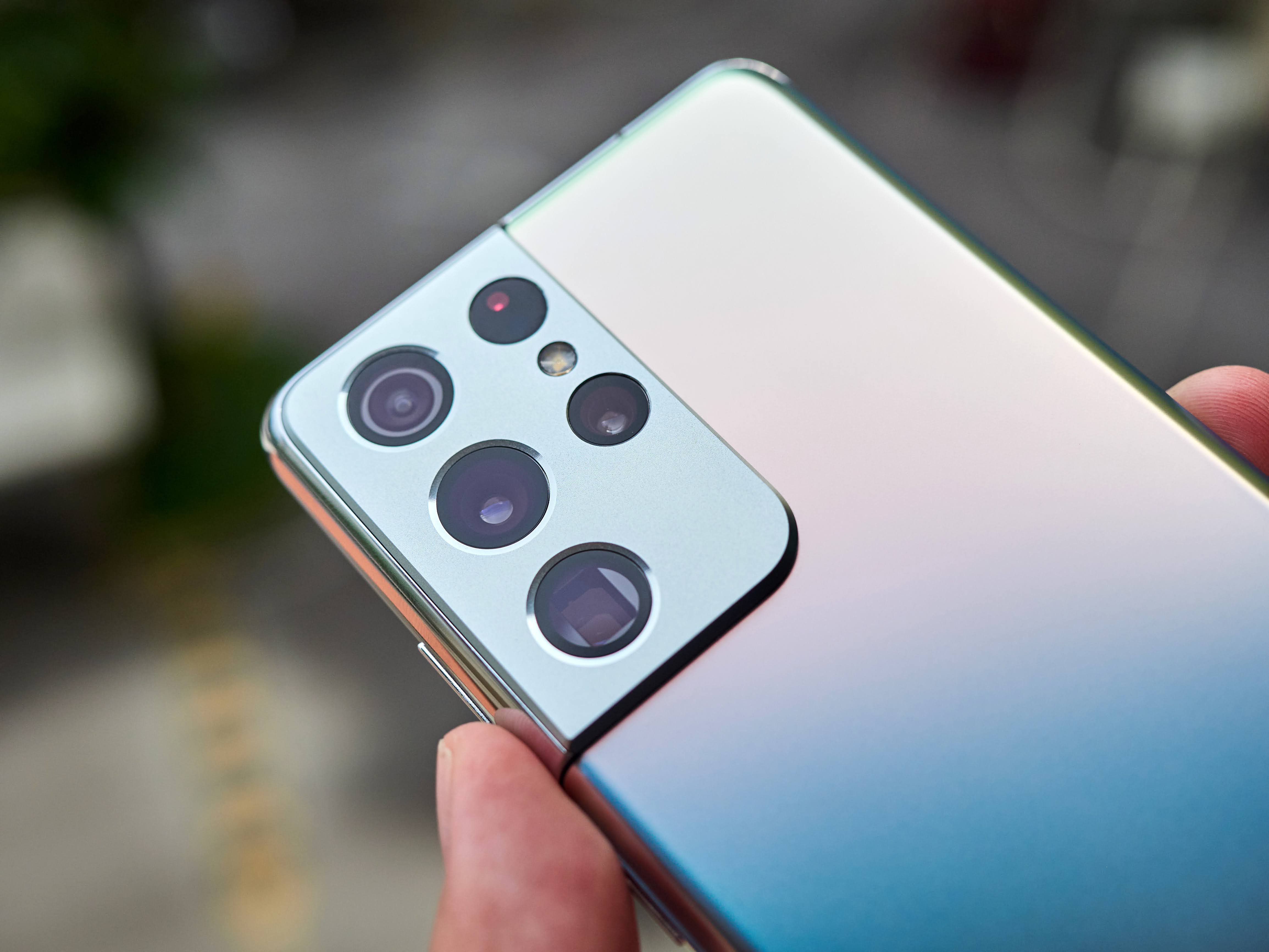
The design needs a little getting used to, at least for me. The large bump of the camera at the back was more than just a statement - it was hard not to notice it. After several days of looking at the phone, it started to just blend in nicely and let's face it, whenever we use the phone, we are looking at the front screen, and very rarely do we check what goes on at the back (unless you are paranoid like me, or any photographers who would wipe the lens clean before taking a photograph). I like how smooth, clean, simple and minimalist the phone design is. It looks premium with the shiny edges and frame, the slightly curved front screen and the smooth, silver back, yet at the same time it did not have any loud or bold branding and unnecessary decorations. Samsung scores high points in my books for the design of S21 Ultra. 

The button placements are quite standard now, nothing new to write home about, and I have no issues reaching all the important controls. The power button and the volume buttons are easy to reach for my medium sized Asian fingers, and I have no issue holding the phone for long duration of time despite the larger size, thanks to the light-weight build. 

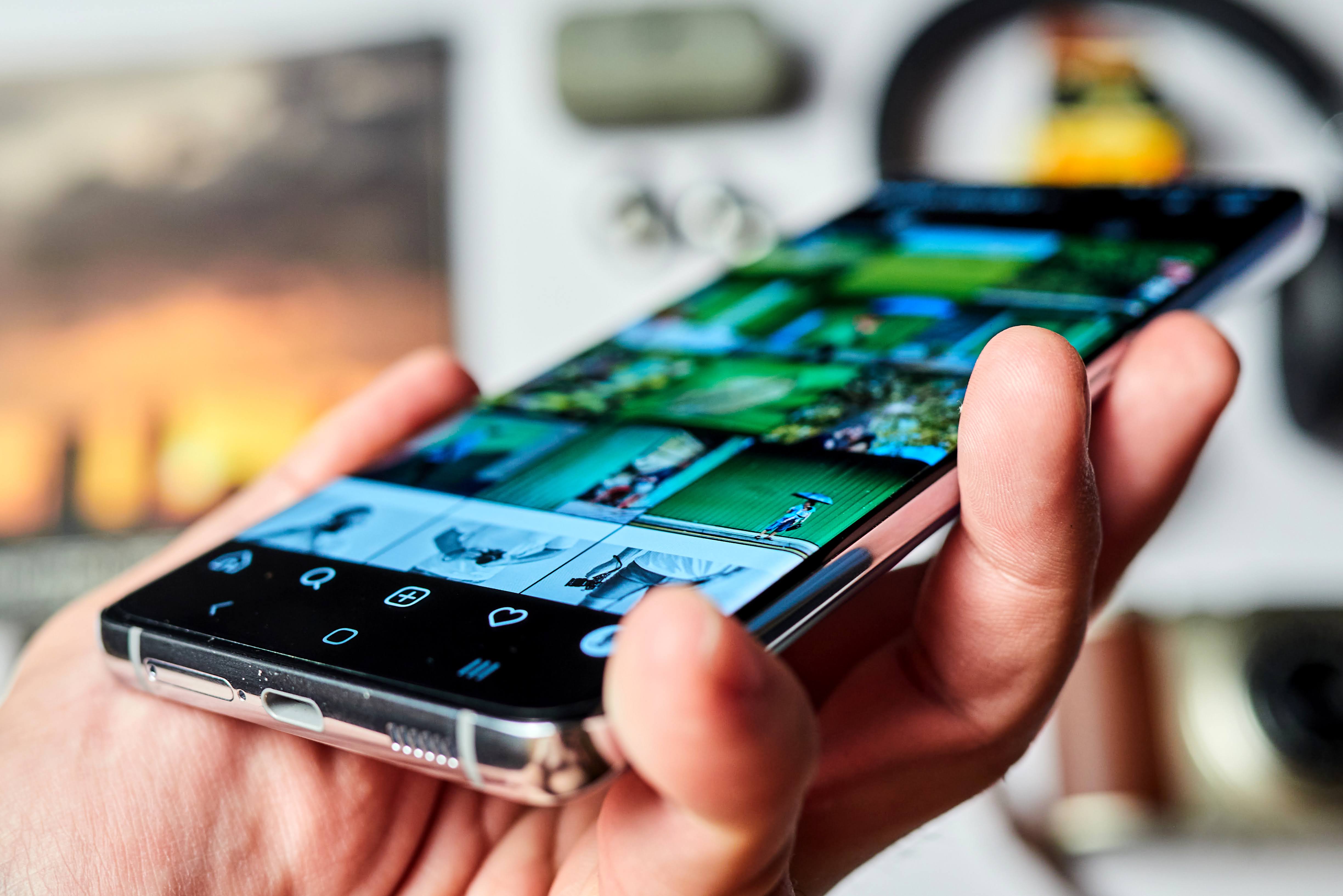
Simply love the large, 6.8 inch display with high resolution WQHD

The Dynamic AMOLED 2X renders super deep blacks.
I do appreciate the 120Hz refresh rate, I cannot live without it. 

Colors look rich, vibrant, and perhaps a touch too saturated, but that's fine. 

Excellent fine details shown through the WQHD display!
A clear advantage of having higher resolution than Full HD. 

I like that the screen does not overly curve out at the edge any more. 
I much prefer the flatter display

Flatter display means, no more accidental touches! A good move forward, Samsung!


INCREDIBLE DISPLAY
QHD resolution + 120Hz
If there was one thing sure to win the race, well at least for now, way ahead of competition, is the inclusion of a Quad HD display (1440p resolution) with 120Hz refresh rate. The 120Hz refresh rate made a huge splash in 2020, with a lot of phones, down to budget offerings having such high refresh rate for smoother scrolling and navigating experience using the phone. None have successfully implemented higher resolution than Full HD (1080p), and Samsung was the first to do WQHD + 120hz. The higher resolution was much welcomed, as a photographer, I do want to see every crisp fine details on the screen. I have been using 120Hz display on my own Poco X3 which I have bought several months ago, and I have to say, having used 120Hz every day, I cannot go back to 60Hz, it just feels stutterly and not smooth any more! You have to try it, use it every day, and then switch the 120Hz off and see how laggy, a big of a difference it makes when you go back to 60Hz. There is no going back trust me. 

Very Good Colors
The color accuracy is improved from previous models. I have always had issues with Super AMOLED screen's color, having some odd slight color tint that I just cannot quite put my finger to it. LCD screens have much more natural looking colors in my books. However, Samsung has come a long way, and the improvement is indeed noticeable. It is still not where I'd like it to be, but it has improved so much that I am willing to work with the latest Samsung's Dynamic AMOLED 2x screen. The colors are vibrant, perhaps a little too punchy even when set to "natural" profile, but that appeals to general wider audience so I can understand their decision of doing it that way. The blacks, due to AMOLED design, is pure, deep black, which does enhance the look and feel of some photographs with a lot of shadows, adding the sense of depth. The higher resolution QHD was astonishing, I don't think for now we'd need a true 4K display on a phone, heck I don't even have 4K display on my computer screen! I feel that Quad HD is a good middle ground, it provides significant and really significant upgrade over Full HD, yet it is not 4K which would have cost a lot more to make and drains battery much faster. It is a very good compromise in terms of quality and cost. 

Flatter Display
The S-series smartphones from Samsung have always adopted more curvy design for their display, with edges curving so much that it was impossible not to have accidental touches when you use them day in and out. That was one big concern I have, but much to my surprise, Samsung almost completely flattened the display screen on the new S21 Ultra! Visually you will still see some minor curving, which looks really sleek in design, but the display does not extend far beyond the edge, and I am happy to report that I have completely zero accidental touches at the edges! This itself is a huge improvement in user experience for a large display phone. 

I am digging this Phantom Silver edition. Sleek, smooth and very clean looking. 

Finger print reader is now much faster and more reliable to use. 

The camera bump is quite large, so the phone does not sit flat on the table. 

Gorgeous looking quad camera setup. Can't wait to try them out soon. 

Simplistic and logical camera UI, will have deeper analysis and report in my coming camera review. 

The back slightly reflects the adjacent colors, the silver is not looking very silver here, it reflects my skin color. 

NOTEABLE IMPROVEMENTS
Faster Finger-Print Reader
One improvement which I instantly noticed was the implementation of a new under-display finger print reader. Compared to my experience previously using S20 Ultra, and Note20 Ultra, the new finger print reader on S21 Ultra is almost twice as fast, and more reliable due to the larger sensor area being implemented. 

Battery life
This is one area that will need more extensive tests. Being stuck at home due to the current lockdown in Malaysia does not give me much opportunity to stretch the battery life. I don't use GPS, no e-hailing, not doing much browsing on social media since I can do that on my PC working from home. Nonetheless, I do feel that the battery management has improved, but I shall need to verify this with more tests. 

Software
I have no issues with the phone for the past few days, everything runs smoothly, and I have not noticed anything out of the ordinary. The Samsung's One UI offers a wide array of customization options, and should come in handy to fully personalize your phone. 

Audio performance
Both the wireless audio and over the USB-C output audio performed very well. I have been listening to music through PowerAmp App, with lossless FLAC music files, powering through my Sennheiser Momentum True Wireless (1st Gen) and also Gold Planar (wired on-ear planar magnetic, via iBasso DC03 DAC/Amp), and I must say I can live with the audio quality from the S21 Ultra. Of course it is still far from what a dedicated music player can do, or a high level DAC output, but they are much better than average smartphone audio output. 

ANY ISSUES/NEGATIVES?
It is quite frankly difficult to tell this early on, having only used the S21 Ultra for less than a week, but the good news is, I have not encountered anything that I dislike about the phone. I am sure I will have a lot more things to say when it comes to the camera review, which is my next article about this phone, but outside of the camera/imaging category, I don't see anything wrong, or worth complaining about. Samsung has spent many years with their S and Note product lines, they have listened to consumers and I am sure they have refined the flagship products as much as they could. There may not be leaps and bounds when it comes to technological marvel, but I believe the S21 Ultra truly ticks the right boxes when it comes to high end smartphone. So far, I find that the S21 Ultra does exceedingly well as a daily driver smartphone. 

CAMERA SETUP
This is one area that I shall leave out from my first impressions. I will have a full blog article reviewing the camera's performance on the Samsung S21 Ultra. I do need some time to shoot sample images, and put all the Quad Camera setup to their paces, and push them to the limit. I am excited to test the imaging performance of the S21 Ultra - is it truly worthy of the Ultra tag on the smartphone? We shall find out very, very soon. I am a photographer after all, and I will have tonnes of fun playing with the S21 Ultra's camera. 

Will I add the S21 Ultra to my own camera daily driver arsenal?

Main 108Mp wide angle, Ultra Wide, a telephoto, and another super telephoto camera, all inside one device. Quite an impressive feat. 

All the available reviews online, articles and YouTube videos that I have encountered on the Samsung S21 Ultra have been overwhelmingly positive so far. I do expect myself to be impressed by the camera's performance. I was already quite happy with what the Note20 Ultra can do, so I can't wait to review the S21 Ultra's camera performance. 

More to come, stay tuned!

Please follow me on my social media: Facebook PageInstagram and Youtube

Please support me and keep this site alive by purchasing from my affiliate link at B&H. 
In case you have missed out, I recently got myself a compact wide angle Fujifilm XF10 (click here), and just before the lockdown/movement control order was imposed in Malaysia, I managed to bring the camera out for a few spins on the familiar Kuala Lumpur streets. I did purchase the Fuji XF10 with the intention of using it for wide angle street photography specifically, as it would motivate me to force myself to use the fixed length at 28mm equivalent, with no distractions and other options to switch to my usual longer focal lengths when I am out there shooting. Thankfully I went out almost every single day in the first week of January and managed to get myself sufficient content to continue to blog here, share my photography and experience, and update my YouTube channel. 

On the channel, I am sharing the exact same images from this session, but I made a video with a different topic. Instead, I was sharing my Black and White Photography tips there! Check the video out here (click). 

I started 2021 with a high energy, and I wanted to explore a lot more outside the world of Micro Four Thirds, now that I am not tied to any particular brand, so I finally decided to get myself a full frame camera, the legendary Canon EOS 5D DSLR.  Recently I found a used unit at an impossibly low price which I just could not ignore, and I nabbed the used Canon 5D unit (thought a bit chipped and worn, it is still fully functional) together with a 50mm F1.8 for about less than RM700/USD180 in total. Why not? It was a guiltless purchase, and honestly I cannot afford any of the latest and greatest full frame cameras from any brands, knowing that the pandemic is still looming and I don't exactly have that many jobs coming in. 

I have made a new video, shooting with the Canon 5D + 50mm F1.8 II here (click). 

I have owned the Panasonic Lumix 14mm F2.5 pancake lens before, many years ago, and I decided not to keep it because it is quite similar in size to the Olympus 14-42mm pancake kit lens, which offers a versatile zoom range. I admit the Panasonic 14mm is still smaller, being a prime lens it offers sharper optics and overall better image quality and the F2.5 brighter aperture is beneficial in low light environment. However, the Panasonic 14mm is also slower to AF and it does suffer severe purple fringing (chromatic aberration) issues when used on Olympus bodies. I loaned one from a friend recently and brought the Panasonic 14mm mounted on my own Olympus OM-D E-M5 Mark III for some street photography sessions. I got to say, I do enjoy using it, being so small, light and slim in design, and I am very happy with the image output that it delivers. 

I have made a video sharing my experience using the Panasonic 14mm F2.5 lens, watch it here (click).