Showing posts with label Smartphone Review. Show all posts
Nokia released the Lumia 1020 in 2013, and I thought this 41MP smartphone camera can still outperform many greatest and most expensive smartphones today. I found one at a good price in good condition in used market and brought it out for some street shooting. Based on the images I obtained from the session, the 41MP 2/3-inch image sensor coupled with 26mm F2.2 equivalent lens produced excellent per pixel sharpness and plenty of contrast and details, rendering natural, highly realistic looking images. This camera was launched before the advent of aggressive computational AI software with heavy processing; hence the colors were not oversaturated, and it lacks the over sharpening and crazy noise reduction happening in most newer smartphones that smeared away many useful fine details and contrast. Modern smartphone makers can learn a thing or two from Nokia, the hardware is important, and you can only go so far pushing the imaging boundaries with your software. I cannot help but wonder if Nokia is still around, we would get really interesting and capable smartphone cameras from them today! After all, they were the first to push the sensor size and megapixel count in the smartphone industry. I made a video to talk about this here (click). 

Last weekend, I was out and about with some friends, on my last street photography outing before I take a long break for the Chinese New Year holidays. I am flying home to Kuching, Borneo for about two weeks, and I won't be doing much photography there, it will be prioritized for family and friends, especially for dear mum. In this final outing, I brought out a cheap old compact camera I got from the local buy-sell marketplace, and there is always that risk of the camera dying, and it just did! The camera can turn on and all, but every image it took was over-exposed. It could be due to faulty shutter mechanism, or aperture blades being stuck, I had no idea what happened, but the bottom-line was - the camera was no use. I put the camera back in its bag and whipped out my smartphone instead. And I continued snapping away. 

I have mentioned before not too long ago that the only way to achieve a significant jump in camera performance for smartphones is to use the larger image sensor, 1 inch to be precise. This already started happening with the Sharp Aquos R6 being released in the middle of 2021, and I recently acquired a used unit in good condition, because I was curious to see how 1 inch image sensor performs and if this truly is the future for smartphone photography. In this blog article, I will share my experience shooting with the Sharp Aquos R6's camera extensively for weeks, with plenty of fresh photographs. 

I have also shared my opinion on why I think the 1 inch is the future for smartphone cameras in my YouTube video here (click), which I will not repeat in this blog article. A word of caution for those outside of Japan, this Sharp Aquos R6 was released specifically for Japanese market only, so if you import this unit out of Japan, you do not have customer support, no service/repair available and there will be no software updates too. 

Sharp Aquos R6 featuring a large 1 inch image sensor camera
Recently, there is a rumor flying around hinting the potential partnership between Samsung and Olympus. Olympus is rumored to be making the camera module for Samsung's next flagship smartphone camera. While generally I don't comment on rumors, but I find this to be quite exciting, and I do hope it comes true. After all, I am currently an Olympus Visionary, having reviewed Olympus' latest cameras and lenses (except that elusive M.Zuiko 150-400mm F4 PRO lens), and I am quite involved with Samsung as well, you can find my reviews of S21 Ultra and Note20 Ultra. I am in quite a unique position to say something, and boy oh boy, do I have a lot to say. I personally think Samsung can gain a lot from this partnership if it falls through, and I want to explore the benefits that Olympus can bring to Samsung's future flagship smartphone cameras. 

I have made a video discussing this topic, you can watch it here (click). 


DISCLAIMER
I do not represent Olympus or Samsung in sharing my opinion in this article. None of these companies have contacted me and I have not heard of any official information regarding the rumored partnership. 

SMARTPHONE LIMITATIONS
Smartphone camera development has come a long way, and any smartphone camera today is more than satisfactory for average consumer use. There is no denying that smartphone camera is the most used camera today, due to convenience, you have the camera with you everywhere you go to. The image quality and performance of smartphone camera has progressed so far that it is sufficient to replace traditional cameras for casual, day to day, non professional environment shooting. I admit I have been shooting more and more with my Samsung S21 Ultra lately too. Nevertheless, there are still many issues that the smartphone cameras need to address, and boundaries to push. There are still some crippling limitations when it comes to smartphone cameras, even the most expensive, top of the line, high end flagship smartphones (from any brand, including the fruity one). 

One obvious limitation is responsiveness. There are all kinds of lag - display lag, Autofocus lag, shutter lag, shot to shot delay, the smartphone camera is almost useless to capture fast moving action, or to nail that critical moment. The job of the camera is to capture important moments, and the lags, even in the most powerful smartphone with the most advanced processor and a million GB of RAM cannot beat a true, professional camera from 10 years ago in terms of speed and reliability in getting the shot. The confidence in shooting is important, and I just can't understand how no smartphone manufacturers can solve this. Maybe it was never the priority to begin with.

Other limitations include optics design, image processing and color science. You can clearly see how poor the lens quality is in smartphone cameras with distortion, chromatic aberration, poor sharpness and contrast rendering, corner softness, the list of optical flaw continues. Many will be quick to point out that smartphones have revolutionize photography by introducing advanced computational processing or AI to enhance the images. I agree to a certain extent, but the smart HDR of merging multiple images to increase dynamic range, or night mode to have that clean noise free shot, can produce images that look good at the first glance. Once you scrutinize the images, they look awful! Smearing of details, lack of definition, and overall everything looks so bad, overly processed, with aggressive noise reduction and over-sharpening artifacts. I acknowledge most people don't care about these issues, except photographers.

Smartphone cameras are too reliant on software to get results - finally it is time to push through the hardware limitations, and take smartphone photography to the next level. I believe partnering with Olympus can open up these opportunities. 

1. LENS DESIGN & QUALITY
Most people underestimate the importance of high quality optics when it comes to photography. There is overemphasis on image sensor, or smart computational photography to achieve desired results. However, lens is the first point that light enters the camera, if you have poor lens in your camera module, no matter how amazing your image sensor and processing, you still get poor results. It is simple, really, as the saying goes, "garbage in, garbage out". A high quality lens ensures light is sufficiently, and efficiently captured, producing images with adequate sharpness, resolving fine details and rendering good contrast - all these are important to add the sense of realism to the image that is captured. Also, good optics have sufficient flaw management - minimizing distortion, purple fringing, flare, etc, which could lead to improved clarity and overall image quality. 

It is no surprise that the most important benefit Samsung will gain from this partnership with Olympus, is the lens expertise. Olympus is the leading optics specialist, not just in designing highly capable lenses for cameras, but also having the know how in mass-manufacturing them. Aki Murata (COO of OM Digital Solutions) in his recent interview with DPReview claimed that the current M.Zuiko PRO lens line-up from Olympus is ready to resolve up to 100MP resolution easily, yet the current Olympus cameras have only 20MP maximum resolution, they have over-engineered their lenses! Having superior lenses will immediately guarantee drastic improvement in Samsung's smartphone camera. After all, what is the point of having hundreds of Megapixels if your lens cannot even effectively resolve half of them? 

2. PROFESSIONAL GRADE IMAGE PROCESSING
In my reviews of Samsung S21 Ultra and Note20 Ultra, I have repeatedly complained about two things: the overly baked color rendition and over-processed images. 

The colors from Samsung smartphone cameras are usually a tad too high in saturation and contrast, looking consumer-friendly, having the punchy, vivid and bold look, as if the colors are screaming out of the screen. While most consumers appreciate the super bright and strong colors, these do not represent real photography. The job of the camera is to capture and represent colors as faithfully as possible. The colors should recreate reality, as seen in real life. Olympus color science is very good, with natural looking skin tone and overall true to life colors, and Samsung can clearly learn a thing or two about making their images look a bit more real, than cartoonish. 

I can see the necessity of HDR processing and aggressive sharpening with noise reduction, but they were all over-done. The HDR created images that look flat, with no depth and definition, while the night mode just destroyed all useful details and made the images look soft, fuzzy and plainly, looking ugly. Professionally processed images will just apply sufficient sharpening without going over-board, enough noise reduction to get rid of the noise without smearing useful details, and overall still maintaining the balance of images looking realistic. Olympus has one of the best JPEG engine out there, even DPReview and many large photoraphy review sites have consistently praised Olympus for having excellent straight out of camera images. Maybe Olympus will share their recipe for that amazing Truepic 9 image processing with Samsung through this partnership. 

3. IMPROVED RESPONSIVENESS
I don't know why but there is just too much lag in any smartphone cameras today, even the flagship, high end smartphones. 

Comparing to Olympus OM-D cameras, there is virtually no lag in the Electronic Viewfinder or LCD screen, with only 0.005s delay for E-M1X. With Samsung's latest flagship, even the S21 Ultra, there is a noticeable half a second lag, what you see on screen is already delayed! The AF is generally quite ok, but is also almost useless when shooting very fast moving subjects, or if you want the smartphone to respond immediately. Olympus OM-D AF is professional level and I have used the OM-D cameras for many years for my commercial shoots, including weddings and events where I need to move fast and capture fleeting moments. I seriously hope Samsung, or any other smartphone manufacturers pay attention to the serious lag issue and fix it! If they can't do it themselves, then get someone who can do it, like Olympus!

4. 5-AXIS IMAGE STABILIZATION
It is no secret that Olympus has the most powerful and effective image stabilization system in the market. No one else comes close. 

Having powerful image stabilization changes the game of photography altogether. Instead of using high ISO which will degrade the image quality drastically, you can use lower ISO numbers in low light with slow shutter speeds, as the image stabilization will steady the shot and get sharp, clean, noise-free results. Generally, image stabilization also increases the chance of getting shake-free shot multiple fold, and this is even more critical for high megapixel count cameras. What is the point of having so many Megapixels if each of your pixels are not optimized? The 5-Axis IS can ensure high per-pixel sharpness, increasing overall image quality output. 

The benefits of image stabilization also extends to video shooting. We have very good digital/electronic stabilization, with smooth, gimbal-like footage, but they also come with some compromises. Digital stabilization will introduce significant crop (20-30%), and the video sharpness will also be decreased. Having powerful mechanical image stabilization will effectively improve video quality, relying less on digital stabilization, much like how a gimbal/steadycam works. Olympus already has this technology - and porting it over to Samsung's smartphone camera will put them ahead of competition, no doubt!

There was another rumor about Olympus making a 200MP image sensor for Samsung, but we all know that Olympus does not make image sensors, and Samsung is more than capable in manufacturing their own image sensors, so I think that rumor does not carry much weight. Maybe they sought after Olympus' consultation in designing or optimizing the image sensor, and I hope the image sensor will be at least 1 inch in size, or even bigger. No point making smaller image sensors now, 1 inch image sensor, or if they can fit in anything bigger, will be beneficial, and show a dramatic improvement in overall image quality. 

Do take note that at this point, everything is still purely rumor and whatever I have shared in this blog entry were my own opinion and speculations. 

Do you think there is any truth to the rumor about Samsung getting Olympus to help them improve their cameras? Do you see any other benefit in engaging Olympus' expertise for Samsung's future smartphones? Do share your thoughts!

Please support me & keep this site going:
This blog entry is a continuation of my Samsung Galaxy S21 Ultra smartphone camera reviews, please do read my first impression (click) and camera review (click) if you have not done so. 

When I was shooting for sample images for my previous Samsung S21 Ultra camera review, I had to do most of my shots indoor because of the on-going lockdown/movement restrictions imposed by the government due to the Covid-19 pandemic. The restrictions have since been eased and we are now allowed to go out and walk freely on the streets, with tight social distancing practice in place. I thought that would be a fantastic opportunity to bring the Samsung S21 Ultra out for a spin, a full day adventure around the city, capturing some urban landscape and street photography images. The S21 Ultra was just the right camera for this task - I was just shooting with a smartphone and was not seen as a serious or commercial photographer carrying large camera setup, considering the rules were still rather loose and confusing on whether public photography/shooting was allowed. As an extra precaution, I also went out alone, and did the entire session on a solo outing. 

This post in a continuation from the Samsung S21 Ultra review series, and I have shared my Part 1: Initial Impressions here (click). In this particular blog entry, I shall discuss specifically on the imaging performance on all the 4 camera modules at the rear of Samsung S21 Ultra. Samsung has been at the forefront pushing the development and innovation of smartphone imaging, with use of high megapixel image sensors to inclusion of super telephoto lens in their previous flagship iterations. Having the latest Samsung S21 Ultra in hand, I was very curious to find out if Samsung has made any improvements in the camera department and of course, my thoughts generally using the S21 Ultra coming from a professional photographer's vantage point. 

After 2 weeks using this phone, I really do love how the design is!
Samsung has recently launched their latest and much anticipated S21 series smartphones, and I managed to get my hands on the flagship S21 Ultra. My first thought was to run out with the phone and start going crazy shooting with the quad-camera setup, at least that was what the photographer in me would have wanted to happen. Unfortunately Malaysia is still under very strict move restrictions/lockdown and we are forced to stay home. Nevertheless, getting my hands on the latest launched S21 Ultra and the model I had in hand is the shiny Phantom Silver version, I just cannot wait to do something with it. So here is my hands on, first impression of the S21 Ultra just days after I have unboxed it. 

A big boy and his gadgets. We all love our toys. And that S21 Ultra blends in just nicely. 

Been using the S21 Ultra for my audio listening pleasures recently.
The USB-C out sound performance, and the wireless audio have been quite good. 


Important Disclaimers:
The Samsung S21 Ultra was sent to me for review purposes. I have no affiliation to Samsung Malaysia, and they did not ask me to promote or say anything in their favor while writing my reviews. I have reviewed Samsung products before here in this blog or in my YouTube channel, and I have always been critical about the camera performance, being brutally honest in my reviews. I shall continue doing the same with the current S21 Ultra in hand.

Key Specifications of my S21 Ultra:
Exynos 2100
Android 11
6.8 inch, WQHD, 120Hz, Dynamic AMOLED 2x
12GB RAM 
256GB Storage, UFS 3.1
Quad Camera Setup
5000mAh battery, 25W USB-C charging, 15W wireless charging

BUILD & HANDLING
The S21 Ultra felt surprisingly light when I picked it up. It weighs only 228g, and that is incredibly light for a flagship phone that has huge 6.8 inch screen. I actually welcome the lighter side of build, as it would be easier to carry around and handle without the heft. The phone felt very solid in hand, as expected with excellent build. Despite the fact that the back is made of glass, it did not feel fragile at all and the aluminum frame felt rigid and robust. One thing I must note though, having used this S21 Ultra for a few days, the back of the phone did feel rather slippery! For those who plan to get this phone, best advice is to use some sort of cover, case of protection for additional grip when using the phone with your hands. I have had a few almost-accidents, the phone slipping off my grip too easily. 

The design needs a little getting used to, at least for me. The large bump of the camera at the back was more than just a statement - it was hard not to notice it. After several days of looking at the phone, it started to just blend in nicely and let's face it, whenever we use the phone, we are looking at the front screen, and very rarely do we check what goes on at the back (unless you are paranoid like me, or any photographers who would wipe the lens clean before taking a photograph). I like how smooth, clean, simple and minimalist the phone design is. It looks premium with the shiny edges and frame, the slightly curved front screen and the smooth, silver back, yet at the same time it did not have any loud or bold branding and unnecessary decorations. Samsung scores high points in my books for the design of S21 Ultra. 

The button placements are quite standard now, nothing new to write home about, and I have no issues reaching all the important controls. The power button and the volume buttons are easy to reach for my medium sized Asian fingers, and I have no issue holding the phone for long duration of time despite the larger size, thanks to the light-weight build. 

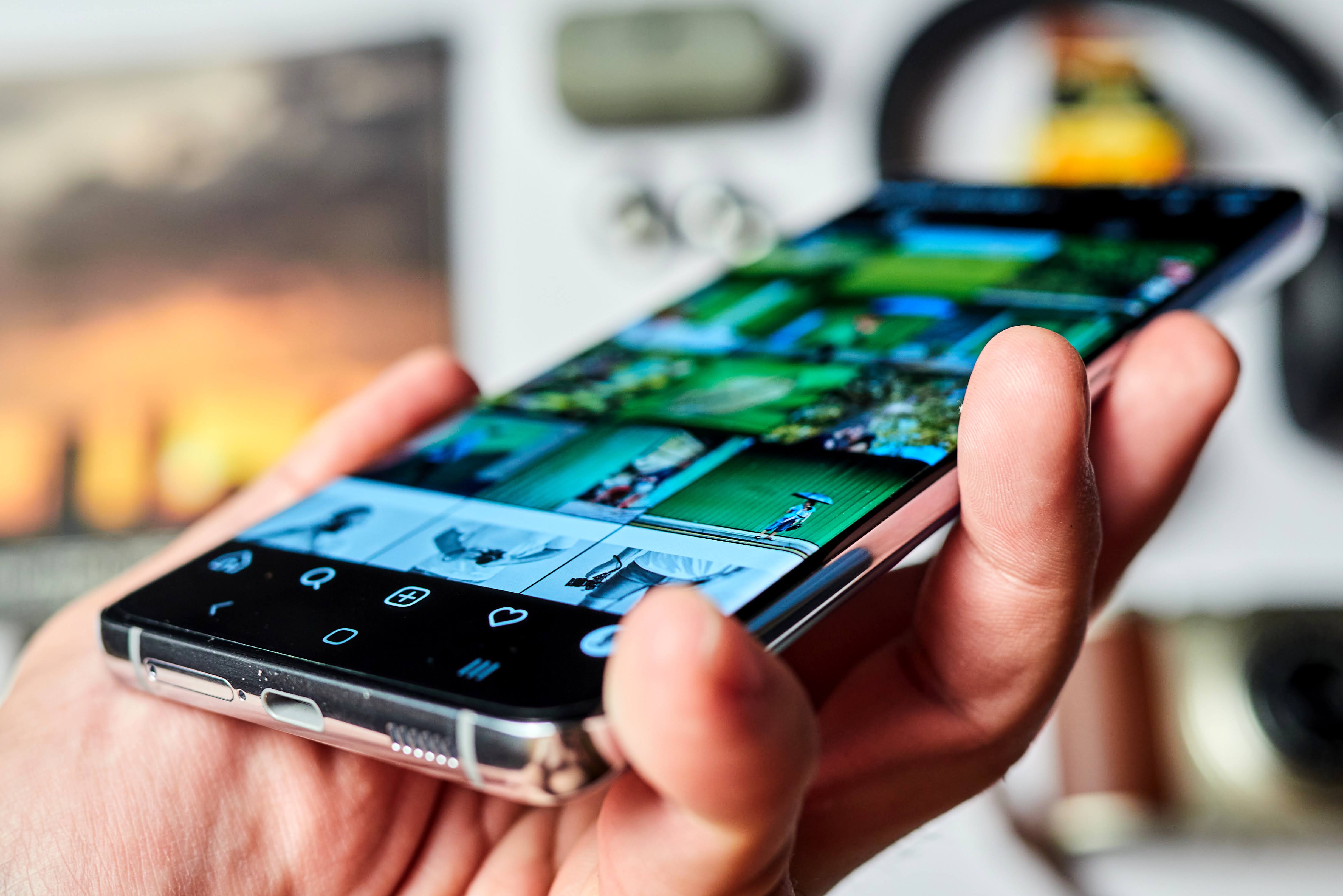
Simply love the large, 6.8 inch display with high resolution WQHD

The Dynamic AMOLED 2X renders super deep blacks.
I do appreciate the 120Hz refresh rate, I cannot live without it. 

Colors look rich, vibrant, and perhaps a touch too saturated, but that's fine. 

Excellent fine details shown through the WQHD display!
A clear advantage of having higher resolution than Full HD. 

I like that the screen does not overly curve out at the edge any more. 
I much prefer the flatter display

Flatter display means, no more accidental touches! A good move forward, Samsung!


INCREDIBLE DISPLAY
QHD resolution + 120Hz
If there was one thing sure to win the race, well at least for now, way ahead of competition, is the inclusion of a Quad HD display (1440p resolution) with 120Hz refresh rate. The 120Hz refresh rate made a huge splash in 2020, with a lot of phones, down to budget offerings having such high refresh rate for smoother scrolling and navigating experience using the phone. None have successfully implemented higher resolution than Full HD (1080p), and Samsung was the first to do WQHD + 120hz. The higher resolution was much welcomed, as a photographer, I do want to see every crisp fine details on the screen. I have been using 120Hz display on my own Poco X3 which I have bought several months ago, and I have to say, having used 120Hz every day, I cannot go back to 60Hz, it just feels stutterly and not smooth any more! You have to try it, use it every day, and then switch the 120Hz off and see how laggy, a big of a difference it makes when you go back to 60Hz. There is no going back trust me. 

Very Good Colors
The color accuracy is improved from previous models. I have always had issues with Super AMOLED screen's color, having some odd slight color tint that I just cannot quite put my finger to it. LCD screens have much more natural looking colors in my books. However, Samsung has come a long way, and the improvement is indeed noticeable. It is still not where I'd like it to be, but it has improved so much that I am willing to work with the latest Samsung's Dynamic AMOLED 2x screen. The colors are vibrant, perhaps a little too punchy even when set to "natural" profile, but that appeals to general wider audience so I can understand their decision of doing it that way. The blacks, due to AMOLED design, is pure, deep black, which does enhance the look and feel of some photographs with a lot of shadows, adding the sense of depth. The higher resolution QHD was astonishing, I don't think for now we'd need a true 4K display on a phone, heck I don't even have 4K display on my computer screen! I feel that Quad HD is a good middle ground, it provides significant and really significant upgrade over Full HD, yet it is not 4K which would have cost a lot more to make and drains battery much faster. It is a very good compromise in terms of quality and cost. 

Flatter Display
The S-series smartphones from Samsung have always adopted more curvy design for their display, with edges curving so much that it was impossible not to have accidental touches when you use them day in and out. That was one big concern I have, but much to my surprise, Samsung almost completely flattened the display screen on the new S21 Ultra! Visually you will still see some minor curving, which looks really sleek in design, but the display does not extend far beyond the edge, and I am happy to report that I have completely zero accidental touches at the edges! This itself is a huge improvement in user experience for a large display phone. 

I am digging this Phantom Silver edition. Sleek, smooth and very clean looking. 

Finger print reader is now much faster and more reliable to use. 

The camera bump is quite large, so the phone does not sit flat on the table. 

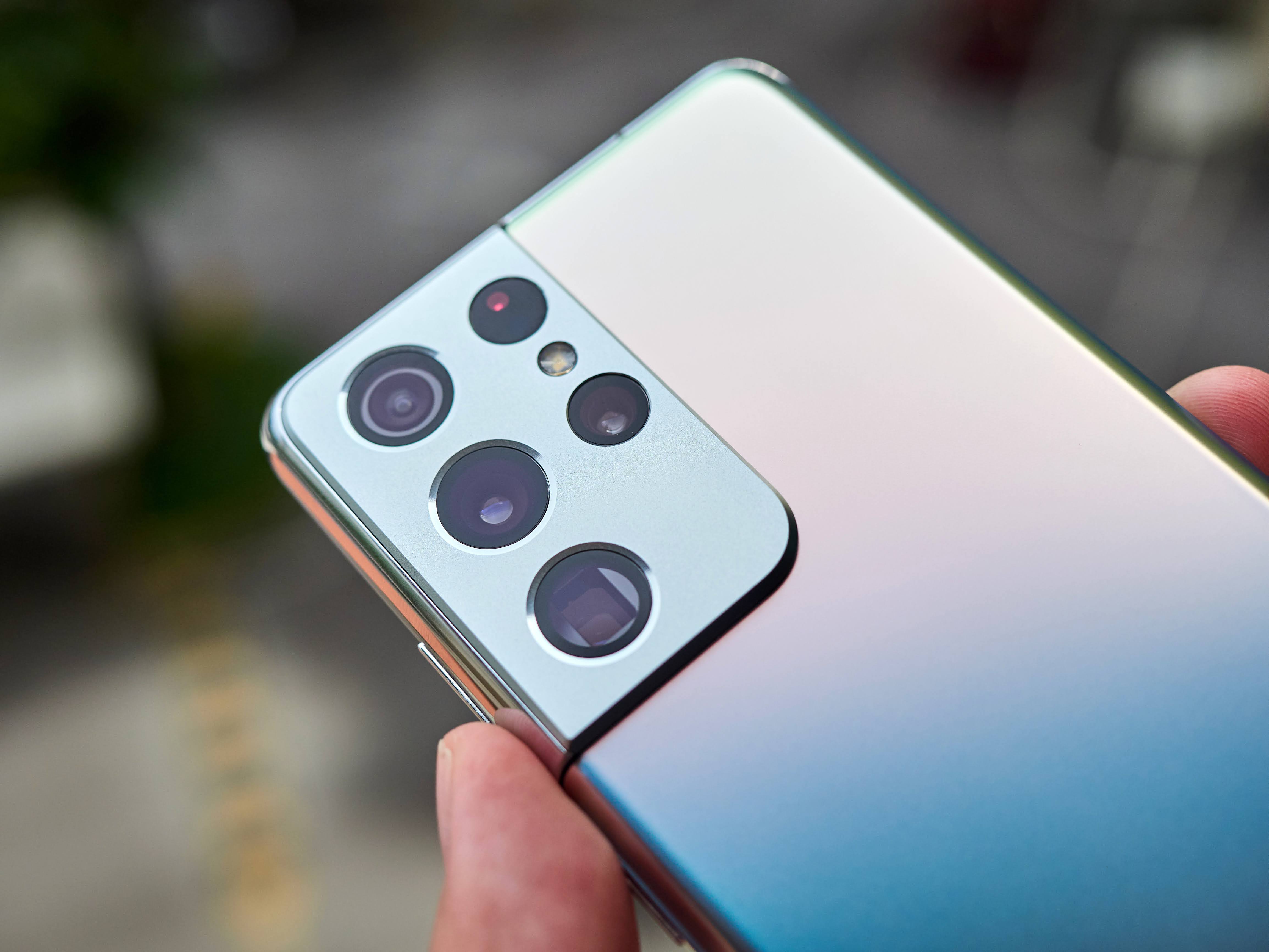
Gorgeous looking quad camera setup. Can't wait to try them out soon. 

Simplistic and logical camera UI, will have deeper analysis and report in my coming camera review. 

The back slightly reflects the adjacent colors, the silver is not looking very silver here, it reflects my skin color. 

NOTEABLE IMPROVEMENTS
Faster Finger-Print Reader
One improvement which I instantly noticed was the implementation of a new under-display finger print reader. Compared to my experience previously using S20 Ultra, and Note20 Ultra, the new finger print reader on S21 Ultra is almost twice as fast, and more reliable due to the larger sensor area being implemented. 

Battery life
This is one area that will need more extensive tests. Being stuck at home due to the current lockdown in Malaysia does not give me much opportunity to stretch the battery life. I don't use GPS, no e-hailing, not doing much browsing on social media since I can do that on my PC working from home. Nonetheless, I do feel that the battery management has improved, but I shall need to verify this with more tests. 

Software
I have no issues with the phone for the past few days, everything runs smoothly, and I have not noticed anything out of the ordinary. The Samsung's One UI offers a wide array of customization options, and should come in handy to fully personalize your phone. 

Audio performance
Both the wireless audio and over the USB-C output audio performed very well. I have been listening to music through PowerAmp App, with lossless FLAC music files, powering through my Sennheiser Momentum True Wireless (1st Gen) and also Gold Planar (wired on-ear planar magnetic, via iBasso DC03 DAC/Amp), and I must say I can live with the audio quality from the S21 Ultra. Of course it is still far from what a dedicated music player can do, or a high level DAC output, but they are much better than average smartphone audio output. 

ANY ISSUES/NEGATIVES?
It is quite frankly difficult to tell this early on, having only used the S21 Ultra for less than a week, but the good news is, I have not encountered anything that I dislike about the phone. I am sure I will have a lot more things to say when it comes to the camera review, which is my next article about this phone, but outside of the camera/imaging category, I don't see anything wrong, or worth complaining about. Samsung has spent many years with their S and Note product lines, they have listened to consumers and I am sure they have refined the flagship products as much as they could. There may not be leaps and bounds when it comes to technological marvel, but I believe the S21 Ultra truly ticks the right boxes when it comes to high end smartphone. So far, I find that the S21 Ultra does exceedingly well as a daily driver smartphone. 

CAMERA SETUP
This is one area that I shall leave out from my first impressions. I will have a full blog article reviewing the camera's performance on the Samsung S21 Ultra. I do need some time to shoot sample images, and put all the Quad Camera setup to their paces, and push them to the limit. I am excited to test the imaging performance of the S21 Ultra - is it truly worthy of the Ultra tag on the smartphone? We shall find out very, very soon. I am a photographer after all, and I will have tonnes of fun playing with the S21 Ultra's camera. 

Will I add the S21 Ultra to my own camera daily driver arsenal?

Main 108Mp wide angle, Ultra Wide, a telephoto, and another super telephoto camera, all inside one device. Quite an impressive feat. 

All the available reviews online, articles and YouTube videos that I have encountered on the Samsung S21 Ultra have been overwhelmingly positive so far. I do expect myself to be impressed by the camera's performance. I was already quite happy with what the Note20 Ultra can do, so I can't wait to review the S21 Ultra's camera performance. 

More to come, stay tuned!

Please follow me on my social media: Facebook Page, Instagram and Youtube. 

Please support me and keep this site alive by purchasing from my affiliate link at B&H. 
I bought myself a new smartphone - a budget USD200 Xiaomi's Poco X3 NFC. This midrange phone has some sweet specifications - 120Hz refresh rate 6.7 inch Full HD LCD display, beefy 5160mAh battery with fast charging, latest Qualcomm Snapdragon 732G processer, 6GB RAM and 64GB internal storage. The main reason I decided to take the plunge was the incredibly affordable pricing of just under USD200, I got mine during launch from online retailer store at Shopee for RM799, with free shipping. The camera specifications are nothing to scoff at either - the Poco X3 features the latest Sony's 64MP image sensor. Since I have been using this Poco X3 for about a month now, I thought why not do a review for it's camera performance?

For those who prefer to watch a review in video format than read lengthy blog articles, here is a YouTube video review I made for Poco X3's camera (click here). 

One of the key features of Poco X3 is the large 6.7 inch Full HD LCD with high refresh rate of 120Hz. 
Samsung packed in plenty of camera firepower in their latest flagship smartphone Galaxy Note20 Ultra, and I had the privilege to loan one and review the camera's performance. The Note20 Ultra comes with 3 camera modules: ultra wide angle, main wide and telephoto camera. Being a photographer myself I am genuinely curious to find out about the camera performance and I have been using the Note20 Ultra for more than 2 weeks, and I even brought it with me home to Kuching, Borneo for a one week vacation. Here is the video version of my review (click). 

Important Disclaimer: The Samsung Galaxy Note20 Ultra was on loan solely for review purposes from Samsung Malaysia and has been returned to them at the time this article is published. I am not affiliated with Samsung in any way, this is not a sponsored post, and Samsung did not ask me to do this review. I am testing the camera capabilities of the Note20 Ultra because I wanted to see how far a flagship smartphone camera has come. I am only discussing the camera performance of the Note20 Ultra. I will not be reviewing the video recording capability, as I am not a videographer and there are other more qualified reviewers to talk about the video aspect. I will also skip the selfie camera because, guys, we don't need the selfie camera. I believe smartphones should just get rid of the selfie camera, the world will be a better place without it. 

I am reviewing the Note20 Ultra from a photographer's perspective - many tech/gadget reviewers just gave a quick glance when it comes to camera performance in their smartphone reviews. Also, I have not see a professional photographer's review of the Note20 Ultra. 

The Samsung Note20 Ultra has 3 camera modules:
MAIN CAMERA
- 108MP 1/1.33 inch image sensor
- 26mm F1.8 OIS
ULTRA WIDE ANGLE
- 12MP
- 13mm F2.2 with 120 degrees Field of view equivalent
TELEPHOTO CAMERA
-12MP
- 120mm F3 Periscope Lens, OIS

I managed to get my hands on the Samsung Galaxy Z Flip, a smartphone which is also a flip phone, in 2020. As I was looking through the available reviews online I realised that maybe it was not the best decision to do a review for this device, after all I am not a tech reviewer. Many have done a great job reviewing it. However, having used the Z Flip for about 2 weeks now, I do find myself enjoying the phone more than I initially expected and there are certain aspects about this flip smartphone that are truly unique. I thought it is more appropriate to just share what I like about the Samsung Galaxy Z Flip instead!

Here is a video version which I have uploaded to my NEW YouTube Channel. Yes, you heard that right, I have started a new channel, a spin-off to talk about non-photography/camera/Olympus related topics, such as this smartphone. 

I managed to get my hands on a loaner Samsung S10 Lite, and was curious about the camera performance. Smartphone photography is surely the future and is gaining popularity, and I acknowledge the rise of modern smartphone cameras breaking a lot of imaging boundaries. The S10 Lite can shoot 48MP stills, had dedicated ultra wide angle and macro lenses, and can do video up to 4K 60p recording. The specifications alone have surpassed many advanced and even PRO level dedicated cameras, so I thought why not bring the Samsung S10 Lite out for some shutter therapy and see if the camera lives up to expectations. 

Before we dive in, here are some important disclaimers. The Samsung S10 Lite smartphone was a loaner from Samsung Malaysia and will be returned after this review. I have no affiliation with Samsung Malaysia or any retailers selling the smartphone. Samsung Malaysia did not commission me to do this review and I chose to do this entirely out of my own curiosity and willingness. I am not getting any compensation out of this, and my review is done entirely based on my personal experience using the smartphone camera over the past two weeks. This is not a tech/gadget oriented review, I will only be reviewing specifically the camera performance of the S10 Lite. I am a photographer and I do have a few things to say about smartphone cameras. 

Looking at the camera specifications at a glance, the Samsung S10 Lite has 3 separate camera modules at the back of the phone:
1) Main Camera 
48MP, 26mm equivalent focal length, F2.0 and has image stabilization
2) Ultra Wide Angle Camera
12MP, 12mm equivalent focal length, F2.2 
3) Macro camera
5MP, 25mm equivalent focal length, F2.4

In terms of video capabilities, the Samsung S10 Lite can shoot up to 4K60p.

That gorgeous 6.7 inch Super Amoled Plus display!

 The Samsung S10 Lite has 3 camera modules:
Top - Macro camera
Middle - Main camera
Bottom - Ultra Wide Angle camera

Close up on the cameras on S10 Lite, I am fully aware of the dusts, but heck I ain't not spending time to clean up this photo!

MAIN CAMERA IS BRILLIANT

The one camera that you should be using 99% of the time on the Samsung S10 Lite, if you own one, is the main camera. The camera is capable of shooting 48MP, but the default camera setting is 12MP, downsampling the whooping 48MP to a 12MP optimized image file. To me, even as a professional photographer, 12MP is more than sufficient for any photography needs today, and I don't see how 12MP cannot deliver sufficient details. 

The main camera was tested mostly at 12MP and it produces very good results in good lighting condition. Images come out sharp and detailed with rich colors. The camera does analyse the individual shooting scenes and apply some processing to optimise the image output. The images do tend to look a bit over-saturated and the highlight and shadow regions are heavily balanced to induce the HDR-like look. I have shot images from near and far testing the main camera, mostly on the cityscape of Kuala Lumpur as viewed from the newly opened Saloma Link, overlooking the KLCC under harsh afternoon sun and also some hispter food shots in a downtown cafe. The main camera does a superb job in rendering beautiful results.

For consumer photography, this works wonderfully as the images are ready to use straight out of the camera without any need for further editing. On the other hand, the heavier processing does produce smudges to fine details and I wish there was an option for less aggressive JPEG processing, but this is just me nitpicking and for general day to day use, the main camera is performing better than I have expected in the first place. After all, we don't usually pixel-peep and see images in 100% magnified view. Unless you are a photographer who knows what he wants, doing the photo editing yourself does not guarantee better results than what the phone is capable of doing immediately to your photographs after taking them.

Main Camera

Main Camera with Live Focus (fake bokeh effect)

Crop from previous image

Main Camera close up shooting

Main Camera

Main Camera

Main Camera

Main Camera

Crop from previous image showing heavy JPEG processing, smudging fine details. Not an issue if you do not pixel-peep your images. 

Main camera

48MP ADVANTAGE

The main camera can shoot up to 48MP which sounds insane on paper, but less impressive in real life applications. I am not saying that the 48MP is not useful, it is in fact a great move to capture a lot more details and then downsample (via pixel binning 4 to 1) to 12MP images, which are more optimized. By doing so, the 12MP images have better clarity, color information as well as overall better dynamic range and high ISO performance. How much better can this pixel binning/downsampling method do in contrast to the native 12MP image sensor is up to debate, but even if we can gain 20-30% improvement in overall quality, the difference is significant and can be immediately noticeable in the final image output. I always mention in this blog that I'd take a lower resolution camera but each pixel is fully optimized over a super high resolution camera that has sub-par pixel information.

Personally I would not suggest the use of 48MP for the main camera - the 12MP is more than adequate for most photography use. 48MP may sound superior but it does cost you more storage and data, if you intend to upload in full size. If you plan to resize the 48MP images for use on social media or web display, why even shoot at full 48MP in the first place? That workflow is counter-productive, and I strongly suggest staying at 12MP setting for best optimized image output as well as storage management. 

Main camera - 48MP mode

Crop from previous image
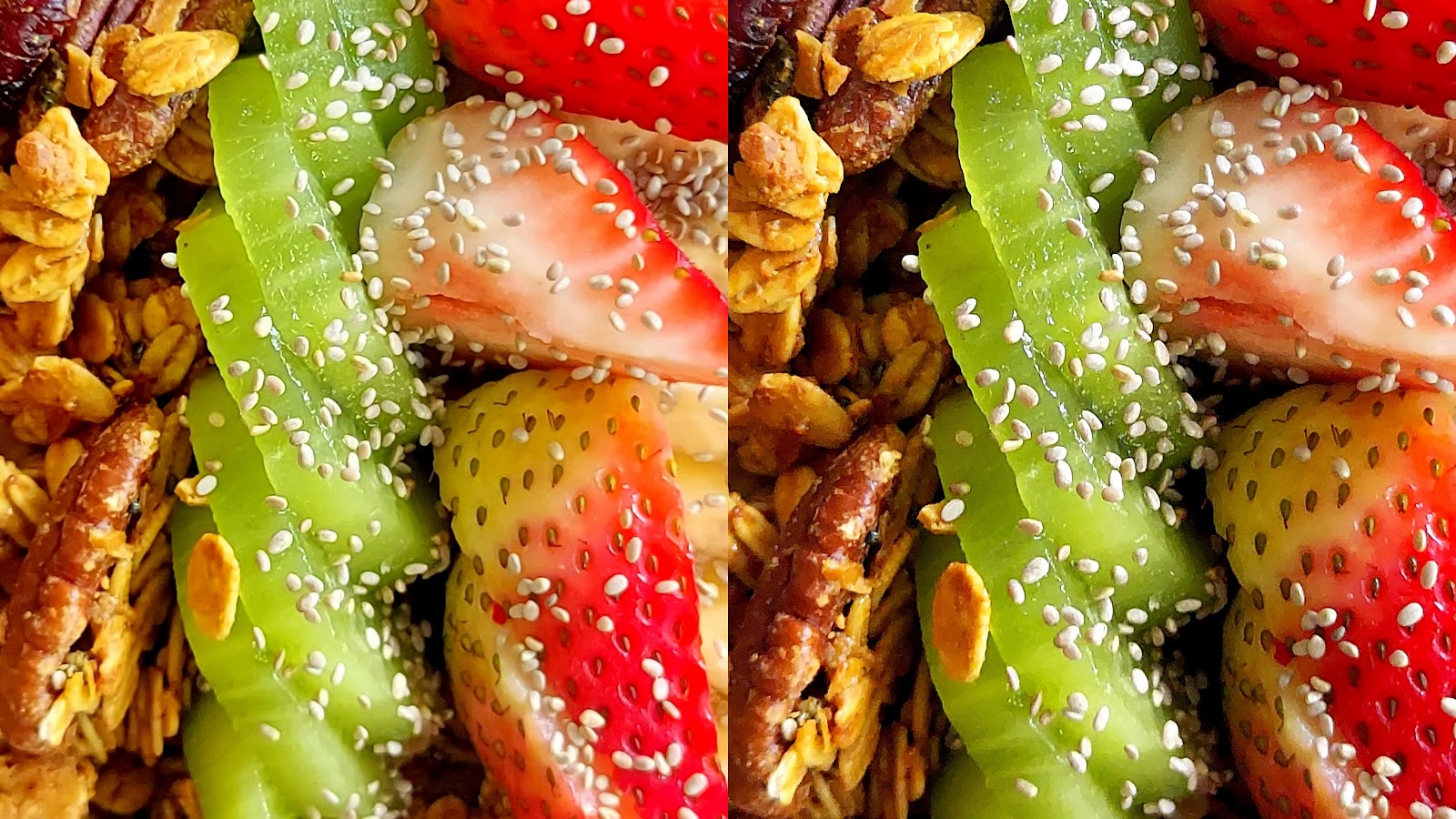
Left - 12MP, Right - 48MP

Main camera 48MP mode

ZCrop from previous image 
Left - 12MP, Right - 48MP

ULTRA WIDE ANGLE CAMERA

I think it is very useful to have an ultra wide angle camera in a lot of modern smartphones today. I would not recommend using wide angle for the sake of having the wide angle effect in your photographs. An ultra wide angle can come in very handy in situations when you need to fit in a bit more into your frame, such as a large group shot in a tight space, or a sweeping landscape shot that you want to cramp in a few more buildings at the sides. Used correctly an ultra wide angle lens can create beautiful and impactful results. 

There is no autofocus when using ultra wide angle, and the camera module relies on fixed focus. This is not a surprise, considering the ultra wide angle used on a camera with smaller image sensor can yield almost infinite depth of field, having everything sharp in focus from near to far. This also simplifies the shooting workflow, minimising errors on photographer's part, having less to worry while shooting images. The ultra wide angle camera produces consistently sharp, details and beautiful colors as seen from the main camera. However, since the camera module is different overall the image quality is not as good as the main camera. This can evidently be seen at higher ISO settings, the ultra wide angle camera falls apart much sooner than the main camera. Use the ultra wide angle only when absolutely necessary. 

The ultra wide angle lens is sharp at the center of the frame, and exhibits obvious corner softness, a typical characteristics of a wide angle lens. There are also noticeable purple fringing and vignetting, but these are not dealbreakers and should not be any concern for consumer level photography. A good news here is that Samsung S10 Lite has built in distortion correction to get rid of any visible barrel distortion, leaving straight lines almost perfectly straight. Having said that, I did have a tremendous amount of fun playing with the wide angle lens, capturing city landscapes. 

Ultra Wide Angle Camera

Ultra Wide Angle Camera

Ultra Wide Angle Camera

Crop from previous image 
Ultra Wide Angle lens exhibiting severe corner softness and purple fringing issues. 

Ultra Wide Angle Camera

Ultra Wide Angle Camera

Ultra Wide Angle Camera

Ultra Wide Angle Camera

MACRO CAMERA

The macro camera module only has 5MP, and for many people this may seem lackluster. To me, I think this is better than not having a macro lens at all, and macro lens can come in very useful when you need to go close to your subjects and reveal minute details. Example of uses - shooting jewellery, small product photography (lego, miniatures), food details and even flowers and bugs. 5MP is still a lot to go around, as long as you don't carelessly crop your images. 

Perhaps a more useful lens to be included in the S10 Lite would be a tele lens, something close to 50mm to create a more proportionate and normal looking image with minimal perspective distortion. However, I feel that the tele-lens is also not fully utilised by consumer level photography who still prefer to shoot everything in wide angle mode. I can understand Samsung's decision not to include the tele-lens, and the macro lens would have been far more useful in this scenario. 

Much like the ultra wide angle camera, the macro lens does not have autofocus and anything that falls within close shooting range (between 3cm to 5cm from the lens) will be in perfect focus. Use the macro mode only to shoot very close up subjects. 

Macro camera

Macro camera

LOW LIGHT SHOOTING AND NIGHT MODE

If you are dealing with very low light situation with the Samsung S10 Lite, I highly recommend you use only the main camera. Having 48MP being pixel binned to 12MP gives you an advantage of cleaner image output than the ultra wide angle camera. Furthermore then main camera is optically image stabilized, giving you steadier hand-holding results, especially shooting in darker environment. Use the ultra wide angle only when absolutely necessary.

The main camera's low light shooting performance is quite good. It produces images that look quite clean (without pixel peeping of course), and this is achieveable even without using the camera's dedicated "night mode". The camera will not hesitate to choose higher ISO numbers, there were a few cases I saw the numbers jumped as high as 2500. Typically the camera will try to capture the images within ISO800. In the camera's PRO mode, the selectable ISO can be adjusted from ISO100 to 800 only, the cap being at maximum 800, which I is not adequate for very low light shooting. I'd expect Samsung to include at least ISO3200, no matter how bad the results may be, but higher ISO is necessary in those extreme conditions. The ISO maximum limit at 800 in PRO mode is also true for most Samsung smartphones, as I have also reviewed the Note 10+ a few months ago.

I would suggest not to turn on the "night mode". From my testing the night mode tried too hard to brighten the darker parts of the images, resulting in very artificial looking bright images. To me, the darker parts of the images can stay dark, I don't need everything to be bright and sunny when I am shooting a night scene. The night mode also applies a more aggressive noise reduction/HDR/sharpening algorithm - the final result does not look good. I much prefer the main camera's default mode for shooting night photographs, the images look more natural and pleasing to my eyes.

For the high ISO shooting, I would not go higher than ISO400 if I have a choice. Even at ISO400 the images show high amount of noise, and at ISO800 it was almost unbearable. The noise reduction kicks in quite aggressively, smearing off all fine details, and the artificial sharpening takes place resulting in garrish looking edges. Of course, all this is only true if you zoom into specific parts of the images for scrutiny, and without pixel peeping the low light shooting results from S10 Lite is perfectly serviceable. It is not fair to expect a smartphone to accomplish a high level camera quality, again, for what the S10 Lite can do, I was decently satisfied with the low light performance. If I truly wanted cleaner results, I would not hesitate to turn to my own arsenal of Micro Four Thirds cameras.

Main Camera ISO800

Crop from previous image
I'd stay at ISO400 or below for better results

Main Camera ISO640
Without pixel peeping, the image actually looks quite good

Main camera ISO1000

Ultra Wide Angle Camera ISO800

Ultra Wide Angle camera performs worse than the main camera for low light shooting
I recommend staying with Main Camera for low light if possible. 

 Night Mode on Main Camera - this artificially brightens the image too much

Might Mode - I really don't like how the camera over-processes the image. 

Main Camera ISO640

CAMERA LIVE VIEW AND AUTOFOCUS PERFORMANCE

My biggest complain for Samsung S10 Lite is the low refresh rate on the live view screen as well as minor lag.

The 6.7 inch Super AMOLED Plus screen was quite a joy to use, large and bright, easy to see even in bright sun and helps composition and framing for my shots. The screen is reported to have 60Hz refresh rate. However, when the camera is turned on, the live view display exhibited two issues - lower refresh rate and slight delay between real life and actual displayed view.

The refresh rate was nowhere close to 60Hz, it was closer to something like 20-30Hz, and this was happening in abundant light (outdoor during day). In darker environment, the refresh rate drops further to less than 20Hz, looking choppy and very jerky, being more obvious if you have a moving subject, or if you pan the screen around. I'd expect a higher refresh rate on the live view for more comfortable framing and shooting experience, certainly from a smartphone with a built in powerful Snapdragon 855 processor!

The second issue is also problematic - there is a noticeable delay of on the live view. This can affect real life shooting as we try to nail critical moments - the slight delay as seen on screen can cause important moments to be missed when clicking the shutter button.

To understand how bad the refresh rate and slight delay on the camera's live view can be, do check out the video I have made.

This issue was also noticed in the Note 10+ that I have reviewed before, and is not exclusive to Samsung phones. A lot of flagship smartphones and certainly these phones are not cheap also have poor refresh rate. I am more surprised that NONE of the popular tech and review sites mentioned this. This proves how little a lot of the large reviewers know about photography or care about the camera review of a smartphone. 

In terms of autofocus, the camera takes about half a second or less to fully acquire focus, which is normal and nothing to write home about. It is not amazingly fast, surely the AF did not work instantaneously, but it is also perfectly useable as the performance is quite consistent. I am fine with slightly slower AF, as long as what I see on screen when I am trying to shoot is as close to real time as possible.

An example of a missed shot due to slight delay of live view. 

OTHER SMALLER ISSUES

There are a few smaller issues that I do have to report, but I must emphasize that none of these little problems are dealbreakers. I am reporting them because I genuinely do want Samsung smartphone cameras to get better, at least for photographers who are serious about getting Samsung phones as their daily drivers.

When shooting directly against a strong source of light, flare and ghosting can be a big problem. This does not help as the aperture is stuck at wide open. The flare can be quite destructive to the image. The solution to this - avoid shooting directly against the sun or any other strong source of light, and if you have to, try to angle the camera around a little to avoid the worst possible flare captured within the framing.

There is no manual shutter speed control in the PRO mode, which to be was quite a big miss for otherwise a highly capable smartphone camera. Having the ability to control shutter speed can open up a whole lot of possibilities - shooting trail of light, adding creative motion blur to the image, etc. I am sure this is purely a software intended limitation placed on a lower level Samsung smartphone, and is fully unlocked in their flagships like S20 series or the Note 10 series.

VIDEO SHOOTING

I did test the video shooting feature of the Samsung S10 Lite. Do find out more in depth of the video performance in the YouTube video I have made.

The SuperSteady On (stabilization for video) worked very well in producing smooth and steady video footage, it was almost gimbal-like. Smartphone cameras have come a long way when it comes to built in stabilization for video shooting. Unfortunately this feature is not applicable for 4K recording and is only available for FullHD. The 4K video came out crisp and sharp, and the audio recording by default on the smartphone is quite impressive. Though I did not test, the Samsung S10 Lite is capable of recording up to 4K 60p, a feat that not many cameras can even do today.

CONCLUSION

For an everyday use, all round performer, do it all, carry with you everywhere smartphone camera, the Samsung S10 Lite is an excellent camera and will deliver beautiful images. The main camera is the star here, capable of shooting highly detailed images. The ultra wide angle and macro camera modules are useful when you need them to perform specific tasks. The image processing may be on the heavier side, but I admit this works for most people who want optimized and usable images straight out of the camera without the need to do further editing work. I did enjoy myself tremendously using the S10 Lite for my shutter therapy sessions, for average consumer doing smartphone photography this is a high value for money smartphone camera.

As a photographer, I do have a few complains, but this is just me nitpicking. I would appreciate less aggressive image processing and more PRO manual controls (shutter speed, higher ISO over 800). I am not happy with the live view lag and low refresh rate on the screen during camera operations. The ultra wide angle lens does have a few flaws and the cameras in general are susceptible to flare. These are not dealbreakers and of no concern for non-photographers, for most people these issues won't even come up in day to day shooting scenarios.

Are you using a Samsung Galaxy S10 Lite, do share with me your experience and thoughts using the camera on that smartphone.

If you have any other smartphone cameras you would like me to review, please let me know, I will see what I can do asking from the manufacturer's for a loaner unit. No guarantee though!


Please follow me on my social media: Facebook Page, Instagram and Youtube. 

Please support me and keep this site alive by purchasing from my affiliate link at B&H.