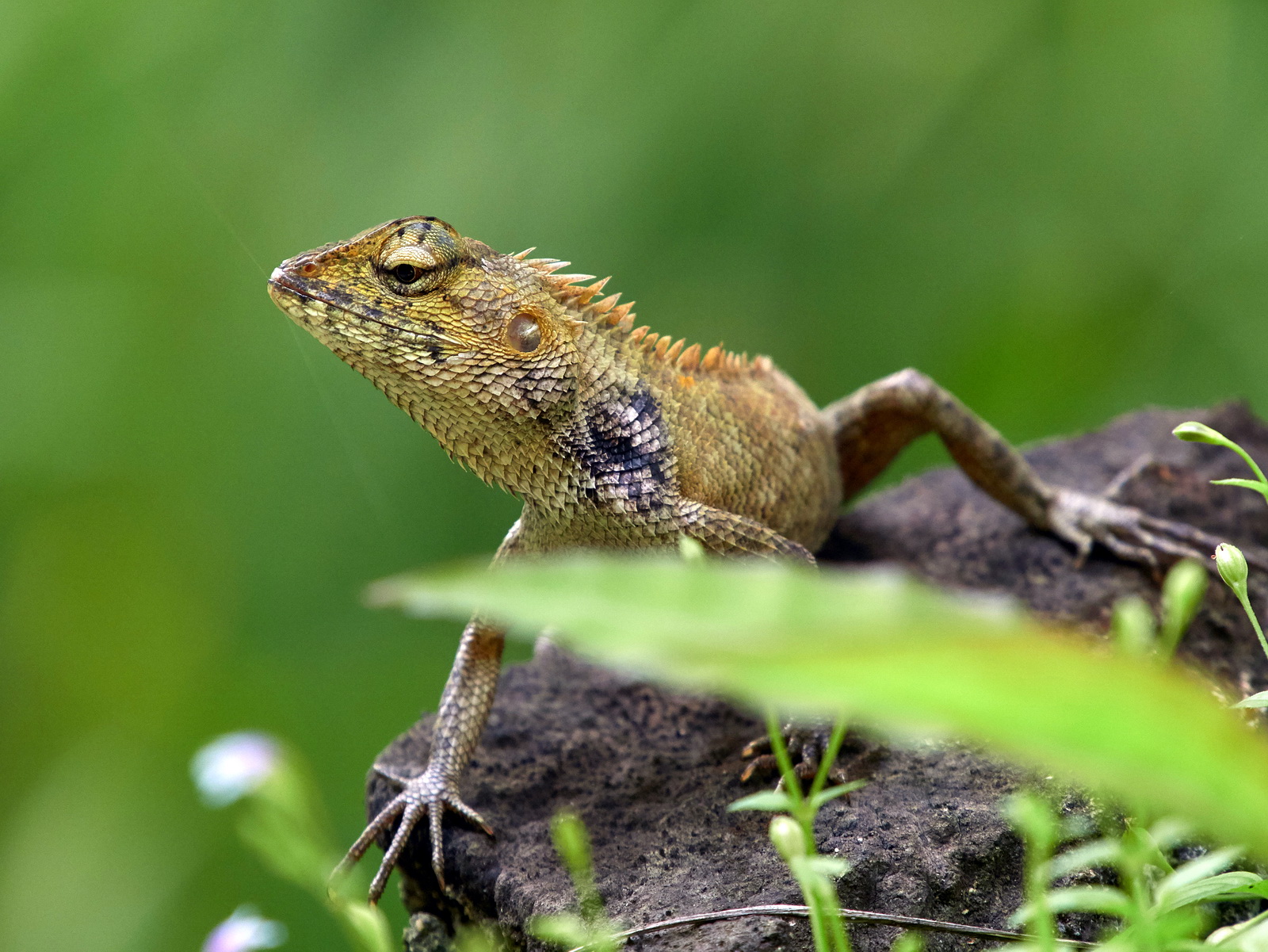
I managed to get my hands on the newly launched Olympus M.Zuiko MC-20 2X teleconverter lens, and I spent almost my entire weekend shooting with the MC-20 and finishing up this article, as well as a short video. Yes, you heard that right, Robin Wong doing video! I sure hope to do more video related content, and I feel that would benefit some folks who prefer watching over reading heavy text content. Don't worry, this blog is not going anywhere, and I will still continue to do my usual writing and sharing here. With lots and lots of photographs of course, that is not going to change.

Some disclaimers first - I am an Olympus Visionary, an ambassador to the brand, hence this is not a product review. I am merely sharing my opinion and feedback after using the Olympus MC-20 over the weekend. The MC-20 was on loan from Olympus Malaysia, it was not mine, and I have returned it after my testing. I used Olympus OM-D E-M1 Mark II, my own camera, with the latest Firmware 3.0 updated. All images were shot in RAW and post-processed with Capture One Pro, with only minor adjustments applied. Bear in mind my findings in this article may be subjective, I encourage everyone to read multiple sources of review before drawing a conclusion.

Here is a video (WATCH HERE) that I did, highlighting key features of the Olympus MC-20, and my quick thoughts using it shooting some birds in Kuala Lumpur.


Olympus M.Zuiko MC-20 2X teleconver lens was designed specifically to double the focal lengths when in use with Olympus M.Zuiko PRO lenses 300mm F4 IS PRO and 40-150mm F2.8 PRO. Currently, the MC-20 is only compatible with these two aforementioned lenses, and it will also be compatible with the announced 150-400mm F4.5 PRO lens, which has not been released yet at the time of writing. Using the MC-20, you get twice the reach of the original lens, eg MC-20 with 300mm PRO gives you a total of 600mm reach. However, there is a compromise when it comes to lens brightness, we lose 2 stops of light, that means instead of F4 wide open, we get F8.

Here are some key features of the Olympus M.Zuiko MC-20 2X Teleconverter lens
1) 9 elements in 4 groups lens construction, with one HR (high refractive) element to help suppress aberrations.
2) Full weather sealing when attached to Olympus OM-D weather sealed cameras and PRO grade M.Zuiko lenses.
3) Doubles the original focal length of lenses used, but losing 2 stops of aperture. 40-150mm F2.8 becomes 80-300mm F5.6 when MC-20 is attached, similarly 300mm F4  becomes 600mm F8.
4) Weight 150g
5) Features Olympus' own Nano coating (called ZERO lens coating) for flare and ghosting resistance

For full specification list, you may visit Olympus' official product page here (click). 


BUILD QUALITY & HANDLING

The Olympus MC-20 by itself is very small in size, and feels very light on hand (only about 150g). Therefore, this is a great solution to gain more reach without sacrificing much size, as you can attach it to existing lenses. It is so small, it does not add any bulk and can be easily stored at a corner of a bag. The MC-20 is made of metal construction, and is weather sealed.

After the MC-20 is securely attached to a camera and lens, it feels extremely solid. The build quality is excellent, using the combination shows no creaking or moving parts, everything felt together and holds tightly as if it was one piece of equipment. I expect no less from Olympus when it comes to lens build, and honestly, it did not feel like there was anything added onto the lens, unless of course you see it visually. The mounting is firm and feels reassuringly secure.


AUTOFOCUS PERFORMANCE

AF is a main concern for many, especially attaching an additional lens onto a lens on the camera, this usually degrades the optimal AF speed and accuracy. I am pleased to say that the AF performance of Olympus MC-20 in use with 300mm PRO or 40-150mm PRO is still superb, much better than what I was initially expecting. In most cases, there was completely no hesitation, the AF works almost as good as the native lens without the use of teleconverter, acquiring focus almost instantaneously, even from near focus to a subject that is in quite a distance away. Accuracy is also good, and the AF is so reliable, I never used manual focus for any of my shots, which I originally thought I may have to resort to just in case.

In fact, I personally felt that the Olympus MC-20 performs noticeably faster than MC-14, based on my experience. I did not have the chance to do side by side comparison, but my past experience using MC-14, I remember some minor hunting, which happened more frequently than the MC-20, and I distinctively felt that the MC-20 focuses more confidently and just overall quicker. I am not sure how much this could be due to the new AF algorithm of Firmware 3.0 in E-M1 Mark II, as the previous time I used the MC-14, I was not using the latest Firmware 3.0. I don't have an MC-14 to verify this at the moment, and an important note - I did not test the MC-14 on E-M1 Mark II with the new Firmware 3.0. You should not have to worry about AF using MC-20, it is surely more than sufficient.

Before we start talking about image quality, let's have a look at some sample images! I went to the KL Bird Park, and spent a few hours in there, attacking the birds and anything else that I could point my lens to.

40-150mm PRO with MC-20
300mm, F5.6, 1/80, ISO640

Crop from previous image

40-150mm PRO with MC-20
300mm, F5.6, 1/30, ISO200

Crop from previous shot

40-150mm PRO with MC-20
250mm, F5.6, 1/50, ISO800

40-150mm PRO with MC-20
300mm, F5.6, 1/50, ISO400

40-150mm PRO with MC-20
300mm, F5.6, 1/400, ISO320

IMAGE QUALITY

Perhaps the biggest worry for most people is the sacrifice in sharpness when any teleconverter is used, the longer the teleconversion, the worse the compromise is when it comes to overall image quality. This is true, especially with so many iterations of teleconverter lenses from many other manufacturers, degrading what the original lenses were capable of to something that some may even categorize as completely unusable.

Before I started using the lens, I was managing my expectations that I may not be going home being impressed by the Olympus MC-20. I was prepared to accept poor results, and started to form words in my head on how to approach this article if the image quality output is below my expectations. The original MC-14 was superb, but we never know about a two times conversion lens, that is just so much more to compromise.

When I first started shooting with the MC-20, I did struggle using it. It was my first time using an equivalent 1200mm (in 35mm format) lens, I have not dealt with anything this long before! The shooting condition was not ideal, it was raining half of the time I was in the park, and the rest of the time it remained heavily overcast, the environment was not well lit. Working with widest aperture of F5.6 (with 40-150mm PRO) and F8 (with 300mm PRO) made things worse, as there was already not enough light to work with. I constantly needed to bump up my ISO to achieve sufficient shutter speed, which in turn further degrade the image quality. It took me a while to get used to such long focal lengths and get used to the somewhat unanticipated challenging shooting circumstances.

When I managed to figure things out, when everything started to fall into place nicely, my goodness, the image quality was nothing short of impressive. There were times I almost forgot I used a teleocnverter when I inspected the images, the sharpness, the amount of details captured, was a lot better than what I expected in the first place. The amount of contrast captured, despite the horrible lighting situation, was really good. Olympus did it guys, I do not know how they did it, but they somehow managed to create a 2X teleconverter lens that does not suck. In fact, that MC-20 is an impressive little conversion lens that birders and wildlife shooters MUST have.

40-150mm PRO with MC-20
300mm, F5.6, 1/80, ISO1250

Crop from previous image

40-150mm PRO with MC-20
300mm, F7.1, 1/250, ISO200

40-150mm PRO with MC-20
300mm, F5.6, 1/800, ISO200

40-150mm PRO with MC-20
300mm, F7.1, 1/500, ISO200

40-150mm PRO with MC-20
300mm, F7.1, 1/200, ISO800

40-150mm PRO with MC-20
300mm, F8, 1/320, ISO1600


Other notes on the image quality, I did not notice any pincushion distortion, but this could be also due to aggressive software correction applied to the images (at RAW file level). I also notice very little trace of chromatic aberration. The corners are noticeably softer than center sharpness, so if you do shoot with the MC-20, it is best to center your subjects for best possible output. Basically, there is very minimal compromise when it comes to image quality, and I was genuinely surprised by what the little MC-20 can do.

If we compare directly (which I did not, there is no point seriously) against image quality of the original lenses without the use of MC-20, of course these original lenses would do better. There is no question in this. The real question is how much is the drop of sharpness of overall image quality going to be after the use of 2x teleconverter, and are the results still within the acceptable margin?

The original M.Zuiko 40-150mm F2.8 PRO and 300mm F4 PRO were extremely sharp lenses, perhaps "over-engineered" by Olympus, and I remember they were particularly proud of the creation of 300mm lens, that was the pinnacle of Olympus' lens making technology, and a great display of their optical design prowess. Thus, even if there was a drop of sharpness when using the teleconverters, after the conversion these lenses are still performing well and can deliver beautiful results.

300mm PRO with MC-20
600mm, F8, 1/30, ISO1600

300mm PRO with MC-20
600mm, F8, 1/100sec, ISO400

300mm PRO with MC-20
600mm, F8, 1/50, ISO1000

300mm PRO with MC-20
600mm, F8, 1/250, ISO1250

40-150mm PRO with MC-20
300mm, F6.3, 1/250, ISO400

Crop from previous photograph


CHALLENGES USING OLYMPUS MC-20

I have to admit, this was possibly the most difficult test of a lens I have done, ever in my life. As I mentioned earlier, it took me a while to get used to the supertelephoto range and all the challenges that came along with it. I want to further discuss about these points.

Firstly, hand-holding such a long lens was a world of difficulty on its own. Hand/camera shake is amplified multiple fold, and it was simply a challenge to hand-hold and to keep everything steady. While Olympus claims superior image stabilization, be mindful that the longer the lens is, the more critical your hand-holding technique will have to do. I am not a bird shooter, I don't do wildlife photography, hence I don't handle very long lenses often. Mix my inexperience using supertelephoto lenses with the unfavorable lighting condition, it was a nightmare to work with. I constantly struggled to get sufficiently fast shutter speeds, and I knew if I bumped up the ISO more I will get bad results.

Secondly, the compromise of lens brightness. We know that instead of getting F2.8 and F4 brightest aperture, which were really great to work with even in low light, now that with the MC-20, the widest aperture becomes two stops darker - F5.6 and F8. The reason I have more 40-150mm and MC-20 shots instead of 300mm, is because of the F5.6 wider opening. At F8, under heavy shade or in locations with not enough light, hand-holding the lens can be quite a pain. There was no way I could shoot a constantly moving bird at 1/20 second, even if I could steady my shot, the bird will still come out blurry. I was already at ISO1600, and sometimes ISO3200!

Thirdly, Olympus mentioned this in their official page - there is a loss of one stop image stabilization effectiveness when MC-14 or MC-20 is attached. Yes, you heard that right, the 5-Axis IS loses some of its effectiveness when the teleconverters are used. Here is the problem, at longer focal length. higher shutter speed is needed, yet we lose one precious stop of image stabilization, this results in even more difficulty hand-holding such a long focal length.


Having said that, I did manage to get some sharp results from ridiculously slow shutter speeds, as I was very adamant in shooting with lower ISO numbers to get cleaner results. I would not recommend going crazy with slower shutter speeds though.

40-150mm PRO with MC-20
300mm, F5.6, 1/200, ISO1250

40-150mm PRO with MC-20
300mm, 1/50, F5.6, ISO400

40-150mm PRO with MC-20
300mm, F5.6, 1/200, ISO800

 40-150mm PRO with MC-20
300mm, F5.6, 1/80, ISO640

40-150mm PRO with MC-20
190mm, F5.6, 1/200, ISO1600

The Olympus M.Zuiko MC-20 2X Teleconverter lens retails at RM2099 in Malaysia, it is not really budget-friendly, but I can totally see how the price is being justified.

Optically, the lens design is excellent, providing superb image quality with use on M.Zuiko 300mm F4 PRO and 40-150mm PRO lenses. While there is a minor drop in sharpness when the teleconverter is attached, the overall image quality is still fantastic, and can be amazingly sharp, detailed and rich in contrast. The compromise of losing 2 stops lens brightness is something that we have to live with using the MC-20, but under good light, I can see how the MC-20 can really shine, giving you phenomenal reach of 1200mm equivalent when used with 300mm lens. That shows the true potential of what Micro Four Thirds, specifically Olympus OM-D system is capable of.

If you are a wildlife and bird shooter, you need that extra reach, get the MC-20, it does not weigh much, and it adds that much more versatility to your already incredible lenses.

Please follow me on Instagram and Facebook Page. 

Olympus M,Zuiko MC-20 2X Teleconverter Lens is available from B&H. 
Olympus added a new feature - USB RAW Data Edit in the latest update to Olympus Workspace (Version 1.1), their proprietary post-processing software. USB RAW Data Edit is activated by connecting the camera to the PC/Laptop via USB cable, and the Truepic VIII Engine in the camera will be utilized to boost the Raw files processing while running Olympus Workspace on the PC/Laptop. This feature is currently only available for Olympus OM-D E-M1 Mark II and E-M1X, and only applicable for RAW images shot with the connected same camera.

I have done a quick video (WATCH HERE) to briefly explain what USB RAW Data Edit is, demonstrate how it works and also show my real life usage of the feature to deliver a set of photographs in my recent shoot.


Here is the step by step guide to enable USB RAW Data Edit

WHAT YOU NEED
1) Olympus Workspace - latest version 1.1 (as of writing) installed on your PC/Laptop
2) E-M1 Mark II (firmware version 3.0 and newer) or E-M1X (firmware version 1.1 and newer)
3) USB cable to connect the camera to your PC/Laptop - use the one supplied in the box

HOW TO ENABLE USB RAW DATA EDIT
1) Start the Olympus Workspace on your laptop/PC
2) Connect the USB cable from camera to the laptop/PC. 
3) Turn on the camera
4) Select the option "PC-RAW"
5) Once connection is established, there is a pop-up notification on Olympus Workspace. Follow the instructions
6) Select the folder where your images are at. You may also choose to edit the RAW files inside the SD card in the camera, and export it out to the laptop/PC. 
7) Select the images you want to edit, do your post-processing, and export to the desired location

Bear in mind that when USB RAW Data Edit is used, some features in Olympus Workspace are unavailable. Features such as Color Edit, Dehaze and Clarity are not applicable anymore. All the crucial and basic adjustments (Exposure Compensation, White Balance, Crop, Highlight/Shadow, Sharpness, Contrast, Gradation, Keystone Compensation, Picture Mode, Art Filters, etc) remained unchanged. 

I have done some tests with the USB RAW Data Edit, and I am very impressed. 

Olympus Workspace, while being a huge step up from the predecessor Olympus Viewer 3, is still sluggish when it comes to exporting images. On my home workstation desktop PC which is running on quite a decent specification (AMD FX-8350 8-core processor, 16GB RAM, SSD and Radeon RX580) , it takes about 3-5 seconds or longer to export a single RAW file to JPEG. On my portable laptop (Lenovo Miix 510, running on Intel Core i3, 4GB RAM and SSD), it is even worse, it takes about more than 10 seconds to export just one RAW file. The improvements on previewing speed, overall smoother operations were fantastic but the exporting process was still a pain. I am shooting events and wedding photography commercially, and I need to deal with hundreds, sometimes thousands of photographs, so you can imagine the nightmare when it comes to exporting the final images. 

This is the main reason I am currently using Capture One Pro for most of my post-processing work, it takes about 2 seconds or less to export a single RAW file. 

With the new USB RAW Data Edit enabled for Olympus Workspace, the boost of speed was incredible. I could export a single RAW file in merely one second or less. You heard that right, instead of my workstation PC speed of 3-5 seconds, or my portable laptop's speed of more than 10 seconds, using the USB RAW Data Edit on my laptop which I have tested, it took me less than 1 second to export a single RAW file. Even with multiple RAW files selected, the speed remained the same, 1 RAW file per second. 

This is a massive jump in terms of productivity!

Honestly this was not really a surprise, considering how fast the Truepic VIII Engine in the camera is. 

The Truepic VIII allows the camera to shoot up to 60 frames per second! Surely processing a single RAW file per second is probably not even maximizing the full potential of the processor. 

What does all this mean and how can this benefit me as a commercial photographer?

Most commercial photographers will carry a laptop or portable device for quick edits on location. I prefer to work with a more portable solution, meaning I want my laptop to be as slim, small and light as possible so i can carry it around without worrying about it weighing me down or slowing me. That also means I have to compromise some performance. I acknowledge that there are powerful and high performing small form factor laptops out there, more suitable for handling heavy image processing tasks, but these laptops are also incredibly overpriced. I have a decently powerful PC workstation at home to handle a bulk of my heavy load when it comes to post-processing. The laptop is for quick edits and previews for clients, when necessary. 

Even with my underpowered Intel Core i3 (6th Gen) processor and minimal 4GB of RAM, a coming to 3 years old laptop now, with the USB RAW Data Edit, I bypass the laptop's weaker processing capability and utilize the camera's superior Truepic VIII Engine, maximizing processing speed to even faster than any other commercially available post-processing software! The blazing speed cuts down my operation time significantly, say a task that requires me maybe about 20-30 minutes, I could probably get done within 5 minutes!

I fully understand that Olympus Workspace is not the most powerful software for post-processing, not allowing use of layers or radial filters for higher level processing. Nonetheless, if speed is your priority, nothing is faster than this feature at the moment, yet at the same time you can still perform extensive fine-tuning to your photograph, fixing the white balance as well as recovering a tonne of shadow and highlight details. This is still highly advantageous in comparison with shooting JPEG - once your image is overexposed or shot in bad white balance, that's it, the image is ruined beyond salvation. 

my current humble laptop - Lenovo Miix 510 which is sort of like a Microsoft Surface Clone

One more advantage I can think of while using USB RAW Data Edit, is not having to fully import the files onto your Laptop/PC before you can start editing. Most post-processing softwares require "importing" process to access the raw files, and generate previews for thumbnails and quick viewing. However, that step of transferring RAW files to the laptop can also be time consuming, depending on how many images you are dealing with, and regenerating previews can also be a redundant step. Olympus already has their own preview image included in the RAW file, using Olympus Workspace it recognizes the embedded preview JPEG, saving time for regenerating previews. Not only that, you handle the RAW files inside your SD card while the camera is connected to your Laptop/PC without needed to physically transfer them out!

You plug in the USB cable, you start Olympus Workspace and you can immediately start working on the images. If you want the fastest workflow for fast edits, I just cannot think of anything this fast. And the best part - you don't need a powerful laptop/PC to enjoy this feature! The same performance can be enjoyed with lower spec/budget laptops, just like the one I am using. 

If you have Olympus OM-D E-M1 Mark II or E-M1X, the option to use USB RAW Data Edit is available to you. Why don't you give it a try? Even if you are not a professional photographer, I believe in spending less time working on your images on your laptop/PC, and spend more time going out to shoot more! The fun is being outdoor with the camera in your hand, having shutter therapy!


Olympus has a few announcements today - a minor update for E-M1X firmware to version 1.1, quite a significant rework of E-M1 Mark II's firmware to version 3.0 and a few new features in Olympus Workspace. I was informed by Olympus Malaysia that all these items are available for download immediately after the worldwide announcement. In this particular blog entry, I am exploring the new Firmware 3.0 for Olympus OM-D E-M1 Mark II, which happens to be my workhorse that I use for commercial shoots as well as personal projects.

For those of you who prefer watching a video over reading a lengthy article, here is one of me quickly going through the main improvements in the new Firmware 3.0 for E-M1 Mark II (WATCH HERE). 


Here is the list of improvements in the new Firmware 3.0

1) E-M1X AF ALGORITHM PORTED OVER TO E-M1 MARK II
Improvements of AF in E-M1 Mark II
- new algorithm for both S-AF and C-AF
- improved C-AF for movie recording
- low light AF down to -6EV with F1.2 PRO lens
- new 25 AF point grouping with C-AF Center priority
- C-AF + MF added
Olympus has refreshed their AF system in the latest E-M1X and I have claimed numerous improvements on AF performance in my review article here (click). Both S-AF and C-AF performance, in terms of focusing speed and accuracy have been enhanced. I particularly noticed better AF when dealing with messy background or backlit situations. AF improvement is made for both stills and video recording. C-AF in E-M1X's video, according to DPReview's own review, is the best for any Micro Four Thirds camera. This same AF for video is now applicable for E-M1 Mark II too. Additionally, in extreme low light environment, the E-M1 Mark II now is able to perform AF effectively down to -6EV light levels, with the use of F1.2 PRO lenses. I also notice improvements of focusing in low light using F1.8 prime lenses.

Since we are on the topic of AF, one minor change that I did not like happening, was the relocation of S-AF + MF option to the menu. Previously, S-AF + MF can be activated via the super control panel. Unfortunately, now you need to dive deep into the labyrinth menu to get it turned on. Also, there is no customizable shortcut for this important feature. This was not an issue for E-M1X, because I can rearrange the entire menu in "My Menu" setup. Now when I do heavy macro shooting, switching the S-AF + MF on and off will be problematic.

2) HIGH ISO IMPROVEMENT 1/3 EV STEPS IN JPEG SHOOTING
Olympus claims about 1/3 EV Steps improvement when shooting high ISO with the new Firmware 3.0. This is only applicable for JPEG files, so if you are a JPEG shooter or do rely on straight out of camera JPEGs for quick delivery, the minor bump in high ISO shooting is surely a benefit. I can't say that 1/3EV improvement makes a significant difference, but I also must acknowledge that E-M1 Mark II was released in 2016, and in 2019, any new refresh or enhancement is definitely a welcome.

3) ISO L64 AND L100 FOR DETAIL PROCESSING PRIORITY
Instead of just the mysterious ISO LOW, now the new Firmware 3.0 has low ISO expansion to two settings - ISO L64 abd L100. Olympus also mentioned that when these settings are engaged, the camera will prioritize processing more optimized detail capture for the image. I personally will still stay with ISO200 most of the time, as ISO200 is the true native base ISO for E-M1 Mark II, hence granting me the best dynamic range. To me, better dynamic range is more crucial than additional details or sharpness. I have shot extensively over the years with ISO200 and was already very happy with what the E-M1 Mark II can deliver.

4) NEW USB RAW DATA EDIT USING OLYMPUS WORKSPACE
Olympus introduced USB RAW Data Edit in both E-M1X and E-M1 Mark II in latest firmware updates, allowing faster RAW processing using Olympus Workspace. . The raw processing utilizes the Truepic 8 engine inside the camera for faster operation, having the camera connected via USB cable to the PC while running Olympus Workspace.. I personally have not tested this, as the new Olympus Workspace was not available yet at the time of this writing.

5) OM-LOG400 PROFILE ADDED FOR VIDEO RECORDING
For those doing heavy video shooting, the new OM-LOG400 profile as found in E-M1X is now available for E-M1 Mark II. This profile is surely more advantageous when it comes to maximizing dynamic range captured in the video file, as well as offering better flexibility for post-production video work. I am no video expert, I rarely do any video-centric work, so I shall not add any further comments.

6) NO CAMERA FREEZE DURING "BUSY WRITING TO SD CARD"
Previously, the camera locks up or freezes after long burst sequential shooting, allowing the camera to clear the buffer. While the camera is writing to the card, shooting can still be resumed as long as the buffer is not full, but the previous firmware disallow any changes to camera settings or adjustments. The new Firmware 3.0 allows changes of any settings in the camera while the it is busy writing to the card, as well as previewing previously recorded images.

7) OTHER FEATURES AND IMPROVEMENTS IN FIRMWARE 3.0
- Anti-flicker shooting added
- Frame rate priority for Live View Boost On2
- From 3 to 15 shots can be selected in Focus Stacking and guide lines have been added to the shooting area
- Quick image selection added
- Instant Film added to Art Filter

Here are some samples taken with the new Art Filter, INSTANT FILM


I applaud Olympus for providing such a significant update for E-M1 Mark II. After all, this camera has been around since 2016, with the updated and reworked camera features, the new Firmware 3.0 brings E-M1 Mark II closer to E-M1X especially when it comes to AF improvement, which to me is a critical upgrade. This will directly affect the camera performance across all shooting scenarios.

What are our thoughts on the new Firmware 3.0 for E-M1 Mark II? What other features would you like to have added into the coming Firmware 4.0, if Olympus plans to make it happen down the road? I want to hear from you!

Olympus OM-D E-M1 Mark II is available from B&H

Please follow me on Instagram, Facebook and Youtube. 

Originally published on 25 October 2015.

So, I thought it would be cool to produce a workflow chart to show my street shooting processes. The chart is quite self-explanatory.

MY STREET SHOOTING WORKFLOW 

If you want to read in full detail about 'How I Approach my Street Portraits" please read the lengthy blog entry I have written here (click) 
I am not exactly a big fan of overpriced cafe food, since Malaysia has abundance of amazing and delicious local and much lower priced food available everywhere. We have so many choices sometimes we just don't know what to choose, and the most commonly asked question, possibly in Malaysia is "what are we doing to eat?" when we are out and about with friends or family. However, I must admit that the trendy, overpriced, hipster restaurants do get more and more popularity, and I am one of the customers drawn to them. Not so much of me liking the food or supporting the trend, but hey, sometimes you just want something a little bit more fancy and have an excuse to splurge.


The images were shot with Olympus OM-D E-M1 Mark II and M.Zuiko 25mm F1.2 PRO lens.

I particularly love food that is colorful and has a lot of texture. I guess, the plus side of eating this bowl of hipster something something, it is healthy-ish.


When I am shooting on the street, I am constantly on the move. This is probably due to the idea that not staying in one spot for too long will make you less of a target to bag-snatching thieves or daylight robbery, which can happen in Kuala Lumpur streets from time to time. When I am out and about shooting on my own, which I do quite frequently when I need to get some serious shots done, I consciously move all the time. However, I have also learned that slowing down the pace and taking some time to really look at how certain scenes change can benefit the outcome of photographs shown in a series.


Images were shot on Olympus OM-D E-M1 Mark II and M.Zuiko 45mm F1.8 lens

On one fine evening, I was walking along Bukit Bintang streets with a group of friends. Since we have the number, we were less afraid about being mugged or jumped at unexpectedly. Safety in numbers and all. We decided to make a pit stop at one corner after a long walk to take a short breather and everyone started chatting away. In the midst of the dramatic conversation about bokeh, Fujifilm, Ricoh GR3 and street photography, I noticed the light in the sky changing and I thought to myself, wow, what a splendid sunset it was. I took several photographs within a span of 15 minutes. I would have waited till it was completely dark, but everyone got too hungry and we decided to call it a day and went to a nearby restaurant for dinner.
Olympus has just launched their latest Tough series camera, the Olympus TG-6 today, and I have had the chance to shoot with it for a few days last week. I am not an adventurous person, certainly I do not do crazy intense activities like diving, mountain climbing, trail running or anything extreme, which this camera is designed for. Therefore, I shall be exploring some special features in the Olympus TG-6 such as the extreme macro shooting capabilities and comment on the general experience using the camera.

Important notes: Before we go too far, allow me to remind you that currently I am an active Olympus Visionary member, being an ambassador for the brand. The Olympus TG-6 was a loaner from Olympus Malaysia, I had it only for few days and it has been returned before the writing of this article. This blog entry is NOT a review of the product. I did not have the chance to dive or shoot anything underwater with the TG-6, hence this article cannot qualify as a complete assessment of the camera. Instead, I am only discussing a few key aspects of the TG-6, specifically the macro shooting capabilities, general image quality and overall comment on the TG-6 as an imaging tool. My experience with the camera and observations may be subjective. All images were shot in RAW and minor post-processing (exposure compensation, white balance tweaks, etc) was applied via Olympus Workspace.